Hi Paul. I am having problems with Native Instruments remembering which instruments I have registered and downloaded and I cannot then access them and use them in Kontakt. I also have issues with certain instruments within Kontakt timing out as they still think they are demos.
Charles
I received the above message from a new client via my website enquiry form and we arranged a time to speak and connect our screens via AnyDesk.
Here’s how I solved Charles’ problems:
- Checked over Native Access and Charles’ Native Instruments account to confirm which sample libraries were missing.
- Identified that missing libraries were the ones saved on Charles’ external hard drive and it was likely to be an error in Native Access’s preferences.
- Forced Native Access to re-index the library by deleting the NativeAccess.xml file located at Macintosh HD > Library > Application Support > Native Instruments > Service Center
- Reopened Native Access and the missing libraries were now showing.
- Tidied up Charles’s Native Instruments installations to make sure that all his libraries were installed on his external drive and not in the default location of users/shared/
- Downloaded latest versions of the Native Instruments applications, including Kontakt 7.
- Wrote Charles a quick email with instructions on how to find the nativeaccess.xml and delete it for himself if the problem occurs again.
For the second part of Charles’ enquiry, we went online and I explained the difference between Kontakt Player and Kontakt’s Full Retail version. Because Charles only had the player version, some of his sample libraries would not be accessible unless he upgraded to the full retail version.
More info on this is available on the Native Instruments site here.
Charles had another question. Sometimes his Kontakt libraries opened with this error message:
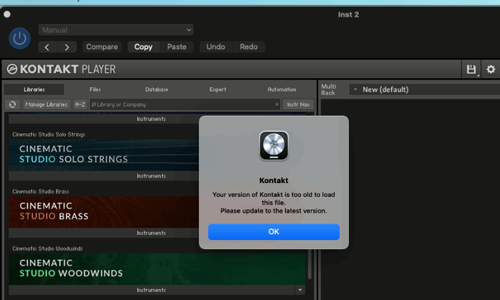
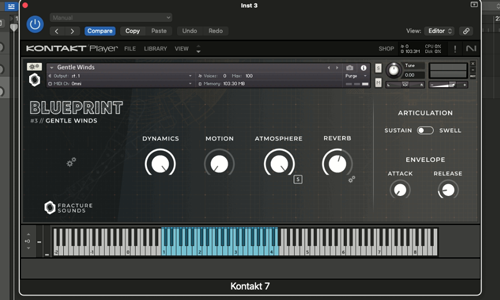
I explained that there are two versions of Kontakt available in his plugins folder: Kontakt and Kontakt 7.
Kontakt 7 is the latest version and if he tried opening the library in the Kontakt 7 version of the plugin it should work. We tried it and sure enough the library opened without a problem.
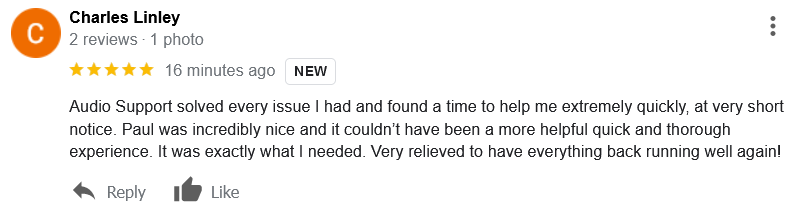
Charles was happy that we had managed to solve all his Kontakt problems within the hour. He then very kindly took the time to leave me this nice review:
Recent Reviews
Let’s Get Your System Running Smoothly.
No automated tickets, no waiting queues — just one-to-one help from an experienced music technology specialist. I’ll connect to your system remotely, identify the issue, and guide you through the fix.