Hi Paul. I’m a voiceover artist setting up a home recording studio. My mic is a Rode NT1-A and my audio interface is a Focusrite Scarlett 2i2 4th Gen. I need some help with:
- Guidance on mic placement
- Settings like gain
- How I can lower my noise floor?
- Which software I should use?
- How I should be processing my sound?
I received the above request from a new client via my profile on the website Fiverr and we arranged a remote support session for the next week.
At the agreed time, my client and I connected via a WhatsApp video call and we set up AnyDesk for me to see her screen. My client and I started the session by discussing her questions and working out a priority. We agreed that the noise problems were the biggest issue to resolve, so we decided to tackle that first.
I took control of my client’s Mac and installed AudioMovers Listento plug-in. This would allow me to listen to the audio being recorded by my client in real time. We made a few test recordings and immediately I could hear there was a major problem with noise.
- I checked that my client wasn’t recording in an overly noisy environment. She told me she lived in a rural area, so traffic and city noises weren’t an issue. She confirmed there were no appliances in the room like a heater or fridge that might be making constant background humming.
- I asked my client to move her phone to show me the inside of her recording booth via the video call. I could see she had her microphone positioned correctly and I couldn’t see anything inside the booth that could be causing noise.
- My client and I experimented with adjustments to the gain and AIR settings on her Focusrite Scarlett 2i2 audio interface. We disabled AIR, SAFE and the auto-gain feature. The noise remained.
- I asked my client to show me the cabling between her microphone and audio interface. I checked that there were no power cable crossovers that could be affecting the audio signal. The type of noise I could hear in the recordings didn’t suggest this was the problem, but it was worth checking.
- I checked all the audio settings on my client’s Mac to make sure there wasn’t an issue with a signal being path inside OSX’s Audio MIDI Setup.
- We made our initial test recordings using the TwistedWave audio editor app. I wasn’t familiar with TwistedWave so I downloaded and installed Audacity to make sure there were no settings in TwistedWave that could be the problem.
- After making a few more recordings in Audacity, I noticed something that gave me a clue to the cause of the issue:
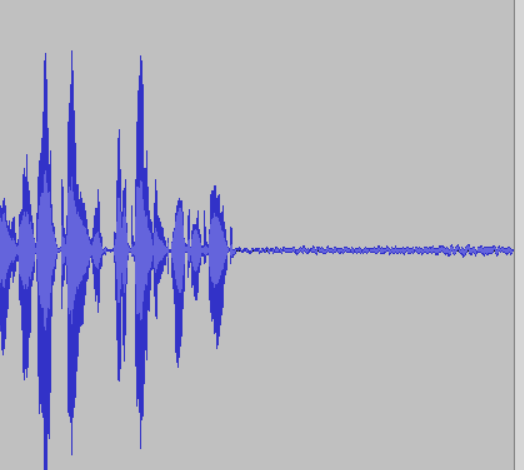
I could see that the noise level was rising after my client stopped speaking. This indicated that there was some sort of automatic volume levelling being applied to the signal.
I opened the Focusrite Control 2 app and checked the Auto Gain settings.
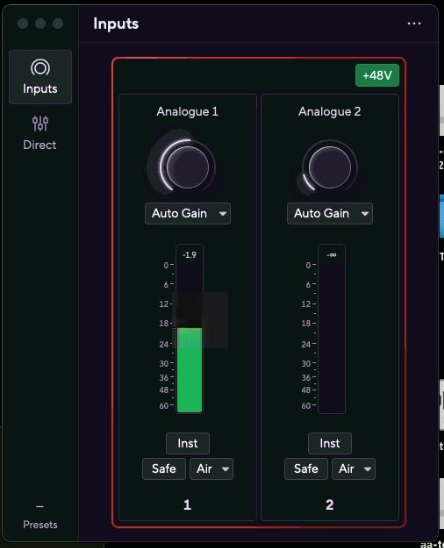
After experimenting with the settings I found that although I thought I had already turned auto-gain off, it couldn’t actually be turned off via the software application. My client found that she was able to disable it via the button on the front of the unit.
At this point we finished our first session and we arranged a time the next week to connect again. My client kindly took the time to leave me this nice review on Fiverr:
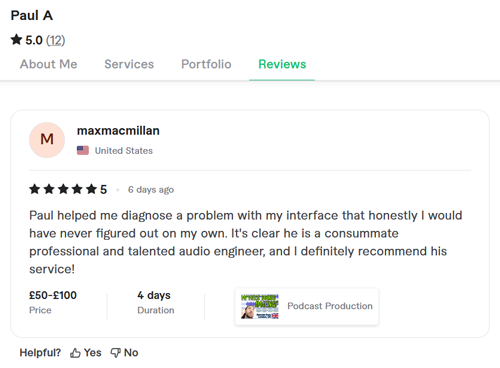
Paul helped me diagnose a problem with my interface that honestly, I would have never figured out on my own. It’s clear he is a consummate professional and talented audio engineer, and I definitely recommend his service!
Continued in Part Two
Recent Reviews
Let’s Get Your System Running Smoothly.
No automated tickets, no waiting queues — just one-to-one help from an experienced music technology specialist. I’ll connect to your system remotely, identify the issue, and guide you through the fix.