
Skip to content

Zoom R24 MIDI and ASIO Problems with Windows

  • by
Zoom R24 MIDI Problems

The Zoom R24 is a combination Standalone Recorder + Audio Interface + MIDI controller.
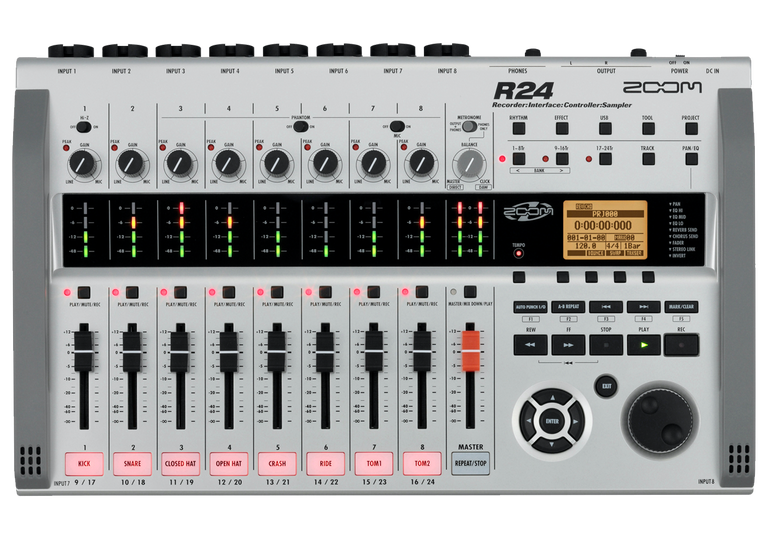
This unit has consistent problems with drivers on Windows 10 and 11. I’ve been contacted by 3 different clients so far to solve installation problems.

Problems:

  • MIDI controller mode showing as connected but not sending any MIDI data to Cubase
  • Audio interface mode showing as connected but no sound coming from unit
  • Device not being recognised by Windows

Solution to audio interface not recognised:

  • Update R24 firmware
  • Use Device Manager to uninstall R24 from windows
  • Uninstall and reinstall drivers
  • Reconnect R24

Solution to connected but no sound:

  • Run Windows 11 audio troubleshooter

Solution to MIDI controller problem:

  • Still working on it!

This device seems to have a lot of issues, but Zoom are aware of them. Hopefully we will see updated drivers and firmware released soon.

Categories: , , , ,

No automated tickets, no waiting queues — just one-to-one help from an experienced music technology specialist. I’ll connect to your system remotely, identify the issue, and guide you through the fix.

Recent problems solved for real clients.

Optimising Logic Pro CPU Usage for Large Orchestral Mixes

Client’s Question

Why does Logic Pro keep crashing when I add plugins to my tracks?

Session Result

CPU load drastically reduced; mix workflow stabilised via bus routing.

Read Full Case Study Report: Optimising Logic Pro CPU Usage for Large Orchestral Mixes
Preparing for a Studio Hardware Installation

Client’s Question

What cables do I need to connect my hardware synths to my mixer?

Session Result

Equipment audited, cable inventory confirmed, site visit planned.

Read Full Case Study Report: Preparing for a Studio Hardware Installation
Mono Microphone Only in Left Speaker Fix in Logic Pro

Client’s Question

Why is my mono mic input only coming out of the left speaker in Logic Pro?

Session Result

Mono input successfully centred by changing Logic Pro track format from Stereo to Mono.

Read Full Case Study Report: Mono Microphone Only in Left Speaker Fix in Logic Pro
Managing Native Instruments Komplete Libraries in Kontakt

Client’s Question

How do I hide unwanted libraries in the Kontakt side pane?

Session Result

Unused libraries hidden, visual clutter removed.

Read Full Case Study Report: Managing Native Instruments Komplete Libraries in Kontakt
