
Ableton Live Support
Independent Ableton Live Expert Help for Musicians & Performers
Ableton Live Support
Independent Expert Help for Producers, Performers & Educators
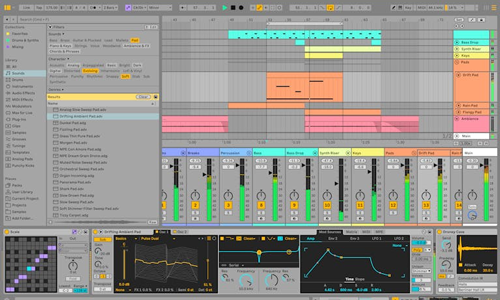
Ableton Live is loved for its creativity and flexibility — but when audio problems, latency, or plug-in errors strike, inspiration can quickly disappear. From audio interface setup to routing issues and performance glitches, even a small configuration error can cause big frustration.

I’m Paul Andrews from Audio Support, an independent Ableton Live specialist who helps producers, DJs, and educators troubleshoot Ableton problems remotely.
While Ableton’s official support can assist with licences or downloads, I go further — diagnosing the full recording and playback environment. From buffer settings and driver setup to MIDI routing, plug-in conflicts and system optimisation, I make sure Ableton runs smoothly from the ground up.
Whether you use Ableton Live Intro, Standard or Suite, I can help you fix latency problems, restore missing instruments, stabilise sessions, and optimise performance for both production and live performance environments.
Audio Support is an independent service for Ableton Live users and is not affiliated with Ableton AG.
Recent Problems Solved
Real client’s stories from the case study archive
AI Music Production Help | When AI Advice Goes Wrong
18 April 2026
Client’s Question
How do I set up my studio hardware after getting confusing advice from ChatGPT?
Session Result
Action plan created to integrate hardware and empower client
Read Full Case Study Report: AI Music Production Help | When AI Advice Goes WrongHow to Get a Realistic MIDI Piano Sound in Your DAW
19 March 2026
Client’s Question
How to make virtual piano sound more powerful and realistic?
Session Result
Realistic and dynamic MIDI piano performance achieved.
Read Full Case Study Report: How to Get a Realistic MIDI Piano Sound in Your DAWVocal Mixing EQ: How to Make Vocals Sit in the Mix
23 February 2026
Client’s Question
How do I make my vocals sit properly in a busy mix?
Session Result
Vocals balanced successfully within the mix using subtractive EQ.
Read Full Case Study Report: Vocal Mixing EQ: How to Make Vocals Sit in the MixRecent Reviews
Let’s Get Your System Running Smoothly.
No automated tickets, no waiting queues — just one-to-one help from an experienced music technology specialist. I’ll connect to your system remotely, identify the issue, and guide you through the fix.
