
Case Study #7718
In a hurry? Jump straight to the Technical Fix

The Adventure of the Phantom Folder: A Pro Tools Mystery
(An Audio Support Case Study reformatted as a Watson & Holmes mystery)
The Introduction
It was a rainy Monday afternoon when the call came in. The client—let’s call him “Watson” for the sake of this narrative—is one of the UK’s leading composers. A man of precision. A man of order.
Watson is not the type to let his digital affairs fall into disarray. His studio is a sanctuary of cable management, and his Windows 11 workstation is usually maintained with the discipline of a Swiss watchmaker. Yet, here he was, standing over the corpse of his workflow.
“It’s dead, Holmes,” he said (or words to that effect). “Pro Tools. The latest version, 2025.12. It initializes, it thinks about the MIDI engine, and then—poof. Gone. No error message. No goodbye. Just silence.”
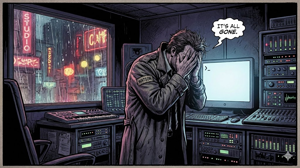
The Investigation: The Scene of the Crime
I arrived at the digital crime scene and began my examination. The system was, as expected, immaculate. Sample libraries in sensible locations, drivers updated. A pristine environment.
“When did the victim last speak?” I asked. “January 8th,” Watson replied. “Right after I installed the new MeldaProduction plugins.”
“Aha!” I cried, perhaps too prematurely. “The butler did it!”
We interrogated the Windows Event Viewer. There, buried in the logs, was our fingerprint: ucrtbase.dll. A crash in the Universal C Runtime. It fit the profile perfectly. The Melda installer must have roughed up the C++ libraries, leaving the Pro Tools MIDI engine to trip over the wreckage.
We spent hours pursuing this lead. We rolled back updates. We scrubbed plugins. We updated drivers. But the crash persisted. The suspect (Melda) had an alibi. It was a Red Herring.
The Deduction: The Clue in Plain Sight
I sat back, steepling my fingers, staring at the file explorer. Watson was pacing. “I don’t understand,” he muttered. “I even uninstalled OneDrive to make sure nothing was interfering. I hate the thing.”
My eyes darted to the screen. I looked—really looked—at the Documents folder. There, next to his preset files, was a tiny, barely perceptible icon. Two blue arrows in a circle. The status read: “Pending.”
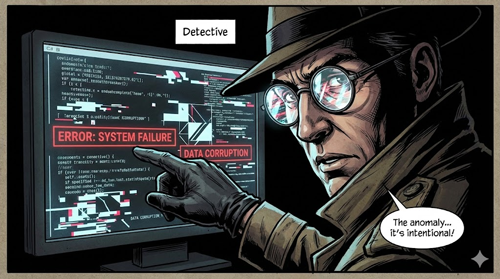
“Watson,” I said quietly. “You say you uninstalled OneDrive?” ” obliterated it,” he confirmed. “Then tell me,” I pointed to the screen, “Why is your computer waiting for a cloud that isn’t there?”
The Deduction: The game was afoot.
- Windows 11 had quietly activated OneDrive during an update, seizing control of the
Documentsfolder. - It started syncing gigabytes of data.
- Watson, spotting the intruder, uninstalled the app to stop it.
- The Fatal Flaw: Uninstalling the app destroyed the vehicle, but it didn’t change the map. The Windows Registry still believed his “Documents” were located at
C:\Users\Watson\OneDrive\Documents. - When Pro Tools tried to initialize its MIDI engine, it went to check its settings in
Documents. It found a ghost path—locked, pending sync, and inaccessible. It didn’t crash because of a plugin; it crashed because it had nowhere to stand.
The Solution: Resurrecting the Beast
“This is going to sound mad, Watson,” I said. “But to kill the ghost, we must resurrect the body.”
“You want me to reinstall the thing that caused this?”
“Precisely.”
We downloaded and reinstalled Microsoft OneDrive. We let it run. We watched the “Status Pending” icons turn to green ticks as the ghost reconnected with reality.
Then, with the precision of a surgeon, we entered the OneDrive settings. We didn’t uninstall it. We went to Manage Backup and unticked the Documents folder. We politely asked OneDrive to return the files to the local drive.
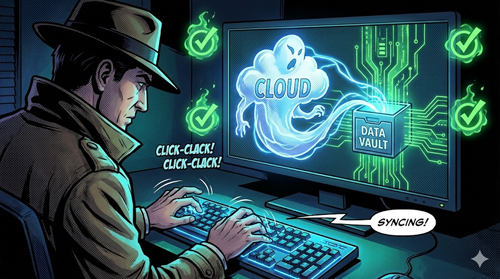
We watched the progress bar. The files moved. The paths reset. The “OneDrive” string vanished from the file address bar.
“Try it now,” I said.
Watson clicked the Pro Tools icon. The splash screen appeared. “Initializing MIDI Engine…” The text lingered for a second—a heart-stopping moment—and then… the Edit Window opened.
The system was alive.
Reflections from the Armchair
“There is nothing more deceptive than an obvious fact,” I remarked, leaning back in my chair as the session closed.
The case had not been elementary; it had been a three-pipe problem. The plugins stood there, begging to be blamed, but they were innocent. The true villain was far more insidious: Cloud Default Settings.
The tragedy here was that Watson did everything right by trying to remove the bloatware. But in the world of Windows 11, the “Documents” folder is no longer just a folder—it is a battleground. For any composer reading this log: check your file paths in Windows Explorer or Mac’s Finder. If you see a cloud icon, you are not working on your computer; you are working in a rented room in the sky. And sometimes, the landlord changes the locks.
“A most singular case, Watson,” I murmured. “Most singular indeed.”
For Google Indexing (The Technical Summary)
The Problem: Pro Tools 2025.12 crashing silently at “Initializing MIDI Engine” on Windows 11. The Cause: A conflict with Microsoft OneDrive. Even if uninstalled, OneDrive may leave “Shell Folder” redirects active, causing Pro Tools to reference a non-existent or locked Documents path (e.g., C:\Users\Name\OneDrive\Documents instead of C:\Users\Name\Documents). The Fix: Reinstall OneDrive, let it sync, then manually disable “Folder Backup” for the Documents folder within OneDrive settings to restore the local file path.
Need a Consulting Detective? If your studio is plagued by mysterious crashes and “Status Pending” errors, don’t let the case go cold. Request a Consultation Session today.