
Case Study
Configuring TotalMix for Voice Recording in Ableton Live
The Client’s Challenge
The RME Babyface Pro FS is an excellent audio interface, known for its pristine quality and powerful mixing software, TotalMix FX. I recently worked with a client who needed help navigating TotalMix to set up their voice recording workflow.
My client, a breathwork teacher, was using the Babyface Pro FS with Ableton Live on their macOS system. Their primary goal was to record their voice cleanly using an external microphone connected to the Babyface.
The main confusion was how to configure TotalMix FX so that they could both record the microphone input into Ableton and monitor their voice instantly through headphones, all while keeping the setup simple for daily use.
Session Setup
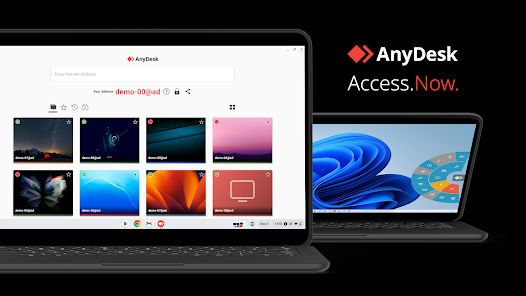
I connected to the client’s system remotely using AnyDesk. This allowed me to take control of their desktop and navigate directly through the TotalMix FX interface and the audio settings within Ableton Live, ensuring we could troubleshoot the software configurations in real time.
Diagnosis
The key to unlocking the Babyface Pro FS’s potential is understanding the difference between the physical inputs/outputs and the software mix. The client was correctly sending the microphone signal into the interface, but the TotalMix routing was complex:
- The default settings were not efficiently routing the microphone signal to the headphone output.
- This resulted in latency when monitoring through Ableton Live’s internal mixer.
- There was also potential for unwanted signal loops or noise from unused inputs.
The goal was to utilise TotalMix for direct, zero-latency monitoring and simplify the physical connections.
The Fix
I systematically went through the TotalMix FX setup, focusing on clarity and simplicity:
Low Latency Monitoring: I confirmed that the client was connecting their headphones directly to the Babyface Pro FS, not to the computer’s built-in headphone jack. This is essential for leveraging the Babyface’s DSP-powered zero-latency monitoring.
Mirroring Outputs: I set up the Main Outputs (Speakers) and the Headphone Output to be completely mirrored. This meant the client only needed to adjust the master fader and didn’t have to worry about two separate mix settings for speakers and headphones.
Input Muting: I proactively checked and muted all unused inputs on the Babyface Pro FS. This step is critical for preventing accidental noise, such as hum or digital bleed, from entering the recording chain.
Result
Once configured, the workflow was simplified: simply plug the Babyface in via USB, connect the headphones to the interface, and open Ableton. The monitoring was managed by TotalMix with no perceptible delay.
Reflection
TotalMix FX is an incredibly powerful routing tool, but it’s often the single biggest barrier for new RME users. This case reinforced the importance of simplifying the setup to match the user’s practical needs. For a voice artist who just needs a clean, reliable input, the best solution is a straightforward “set-and-forget” configuration that allows them to focus entirely on their performance, not on technical settings.
Closing Thoughts
I help musicians and producers worldwide solve problems like this every day. If you’re struggling with TotalMix FX or configuring your audio interface for reliable low-latency recording, I’ll help you fix it and get back to creating.
Let’s Get Your System Running Smoothly.
No automated tickets, no waiting queues — just one-to-one help from an experienced music technology specialist. I’ll connect to your system remotely, identify the issue, and guide you through the fix.
