
Hi Paul. Cubase is not opening. When I double-click the icon I get an error message that says ‘No Valid License Found’. Then the app shuts down. Its weird because I have a license and it was working yesterday. What can I do? – BC
I received the above message from an existing client and arranged a time to connect for a remote support session.
Once I was remotely viewing my client’s desktop, I asked him to open Cubase and show me the problem.
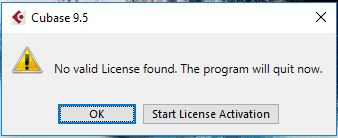
My client was using an old version of Cubase (9.5) which uses the eLicenser based licensing system. I opened my client’s eLicenser app and to check the status of his Cubase licenses.
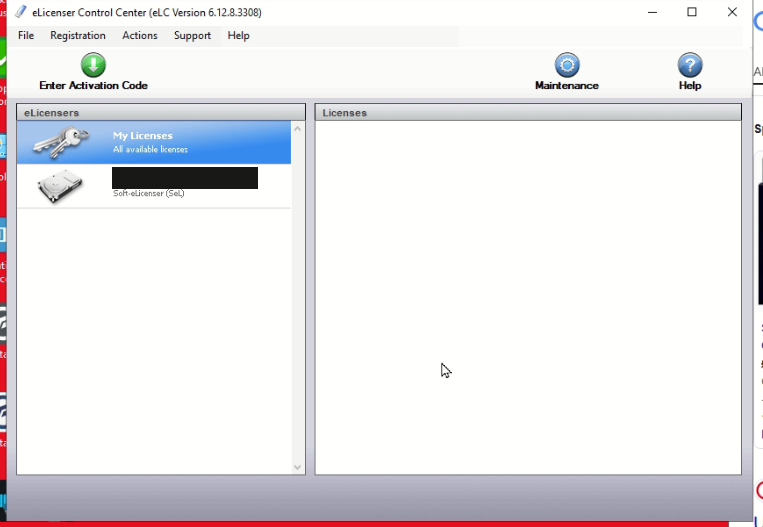
I could see that there was no license showing and no eLicenser showing as connected to my client’s PC. I asked my client if he could see the eLicenser USB dongle plugged into his PC and he told me it was in the back of his tower PC under his desk.
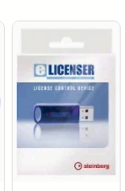
I pulled up a picture of the eLicenser on Google Images to show my client what he was looking for:
I asked him to go under his desk and pull the dongle out of his USB socket and then plug it back in again.
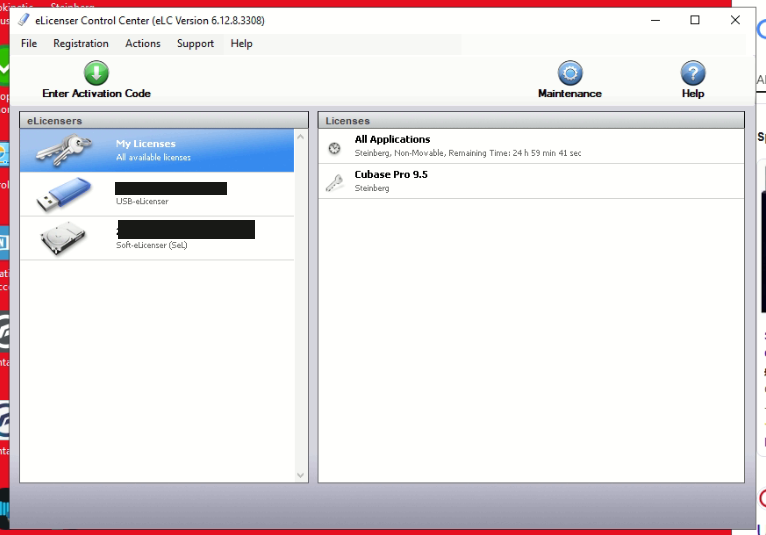
Once he had done this, I checked the eLicenser Control Centre again and was pleased to see that the dongle was showing as connected and displaying a valid Cubase 9.5 license.
My client was delighted that the solution turned out to be something so simple and that he didn’t need to contact Steinberg to try to recover his license. I explained that with Steinberg’s new licensing system it wouldn’t be possible to recover a Cubase 9.5 license so he should be very careful to keep his USB dongle safe.
Additional Support
I advised that if the problem occurred again, it was likely something wrong with the USB socket. My client’s options were:
- Use a different USB socket on the PC
- Clean the USB sockets with a can of compressed air
- Replace the faulty USB PCI board
- Buy a USB hub
Recent Reviews
Let’s Get Your System Running Smoothly.
No automated tickets, no waiting queues — just one-to-one help from an experienced music technology specialist. I’ll connect to your system remotely, identify the issue, and guide you through the fix.
More Case Studies
Recent problems solved for real clients.
Sony DAT Player Repair: Diagnosing a Stuck Tape Door
22 January 2026
Client’s Question
Why won’t my Sony DAT machine door open or close?
Session Result
Hardware fault diagnosed, client referred for specialist repair.
Read Full Case Study Report: Sony DAT Player Repair: Diagnosing a Stuck Tape DoorMarshall MG100HCFX Preset Fix: Stop Random Changes
19 January 2026
Client’s Question
Why do my Marshall MG100HCFX amp presets keep changing by themselves?
Session Result
Amplifier preset stability achieved via procedural workaround.
Read Full Case Study Report: Marshall MG100HCFX Preset Fix: Stop Random ChangesFixing the Ableton OneDrive Conflict on Windows 11
18 January 2026
Client’s Question
How do I move my Ableton User Library out of OneDrive?
Session Result
Ableton library relocated, OneDrive space recovered.
Read Full Case Study Report: Fixing the Ableton OneDrive Conflict on Windows 11
Client’s Question
Why is Pro Tools crashing on Windows 11 when the splash screen reaches “Initializing MIDI Engine”?
Session Result
Resolved by reinstalling OneDrive, properly disabling folder backup to restore local paths, and then safely removing the cloud service.
Read Full Case Study Report: Case Study: Pro Tools 2025.12 Crash & The OneDrive Phantom Folder