
Case Study
Dawsome Novum: Solving the “Please Locate Content” Error
The Client’s Challenge
I connected with a composer who was eager to install a new virtual instrument plug-in called Novum by Dawsome Music. They had purchased it as part of a bundle, but the standard installer was not working as expected. Upon launching the Novum plug-in, an immediate error appeared: “Please locate content.” This issue prevented them from loading any sounds or using the instrument, completely stopping their progress.
Session Setup
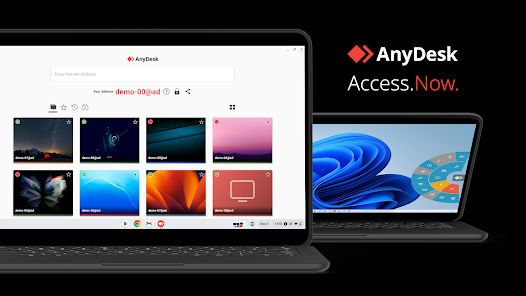
The client was running a professional studio setup, but the problem was purely software-based. We quickly established a secure remote connection to the client’s machine to begin the troubleshooting process. This direct, one-to-one access is often essential for diving deep into file paths and application settings. It’s what Audio Support specialises in—going beyond manufacturer forums to resolve the entire system chain.
Diagnosis
The core issue was a missing content library. The plug-in itself was installed, but it could not find the large sample files it needed to function.
I began by checking all the usual locations for the library files. I looked through the default download folders, the installation directory provided by the distributor (Traction), and even the user’s email receipts. Nothing listed a clear content download link or specified where the content should have been placed.
I then consulted the plug-in’s manual, which indicated that the core content should have been part of the initial download and installation process. However, this clearly had not happened for the client. The usual channels—the distributor’s download manager and the official website’s support section—were all dead ends for locating the sample library.
The Fix
Because the content download link was completely unavailable via standard channels, the most efficient path was to contact the developer directly. With the client’s permission, I drafted a detailed email to Dawsome Music support outlining the exact problem and the steps we had already taken to locate the missing files.
This direct communication worked. When I checked in with the client the very next day, Dawsome Music had responded with a simple, direct Google Drive link to download the missing Novum content library.
We then quickly downloaded the file, ran the installer, and had the client confirm the plug-in was correctly registered and working within their chosen DAW. The “Please locate content” error was resolved instantly.
Result
The Novum plug-in was successfully installed and fully functional within the client’s system. The composer was immediately able to access the instrument’s complete library and continue working on their session.
Reflection
This case highlights how complex system issues often trace back to a simple administrative or distribution error, in this case, a missing download link. While the client struggled for hours with a technical error message, the ultimate fix was simply a hidden file location.
An independent service like Audio Support adds value by approaching the entire problem holistically. I look beyond the initial error message to examine the file systems, installation logic, and even the developer’s distribution methods. When standard troubleshooting fails, I know how to pivot to the most efficient solution, even if that means escalating the query on behalf of the client.
In this instance, while the process of finding the content was initially complex, the final solution was incredibly simple—a direct, functional link provided by the developer. It also serves as a reminder to developers and distributors that clear access to large content files is critical for a positive user experience.
Closing Thoughts
Dealing with missing plug-in content or confusing installation routines can be incredibly frustrating. I help musicians and producers worldwide solve problems like this every day. If you’re struggling with Dawsome Music Novum or any other plug-in that won’t load its content, I’ll help you find the real cause and get you back to creating.
Recent Reviews
Let’s Get Your System Running Smoothly.
No automated tickets, no waiting queues — just one-to-one help from an experienced music technology specialist. I’ll connect to your system remotely, identify the issue, and guide you through the fix.
More Case Studies
Recent problems solved for real clients.
Sony DAT Player Repair: Diagnosing a Stuck Tape Door
22 January 2026
Client’s Question
Why won’t my Sony DAT machine door open or close?
Session Result
Hardware fault diagnosed, client referred for specialist repair.
Read Full Case Study Report: Sony DAT Player Repair: Diagnosing a Stuck Tape DoorMarshall MG100HCFX Preset Fix: Stop Random Changes
19 January 2026
Client’s Question
Why do my Marshall MG100HCFX amp presets keep changing by themselves?
Session Result
Amplifier preset stability achieved via procedural workaround.
Read Full Case Study Report: Marshall MG100HCFX Preset Fix: Stop Random ChangesFixing the Ableton OneDrive Conflict on Windows 11
18 January 2026
Client’s Question
How do I move my Ableton User Library out of OneDrive?
Session Result
Ableton library relocated, OneDrive space recovered.
Read Full Case Study Report: Fixing the Ableton OneDrive Conflict on Windows 11
Client’s Question
Why is Pro Tools crashing on Windows 11 when the splash screen reaches “Initializing MIDI Engine”?
Session Result
Resolved by reinstalling OneDrive, properly disabling folder backup to restore local paths, and then safely removing the cloud service.
Read Full Case Study Report: Case Study: Pro Tools 2025.12 Crash & The OneDrive Phantom Folder