
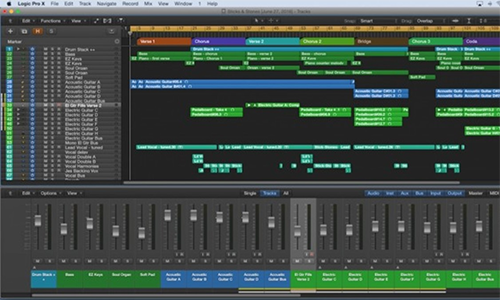
Logic Pro Support
Independent Expert Help For Mac Users
Logic Pro Support
Independent Expert Help for Music Producers and Engineers
Logic Pro is one of the world’s most powerful DAWs — but even experienced users can run into frustrating issues. From audio dropouts and plug-in crashes to missing inputs or lagging playback, a single glitch can stop your session cold.
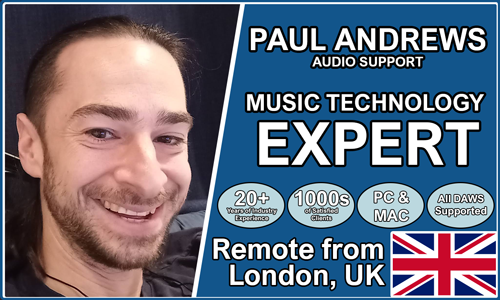
I’m Paul from Audio Support, an independent Logic Pro specialist helping musicians, producers and voice artists troubleshoot complex Logic problems remotely.
While Apple’s official support focuses on general macOS help, I go further — diagnosing the entire recording system. From audio interfaces and external drives to plug-in compatibility and system optimisation, I look at how every part of your setup works together so Logic runs flawlessly.
Need help with something else? I also provide support for Cubase, Ableton Live, Pro Tools and other music production platforms — all available through online booking
Audio Support is an independent service for Logic Pro users and is not affiliated with Apple Inc.
Recent Problems Solved
From the Case Study Archive

Client’s Question
Why is Logic Pro 11.1.2 freezing after I installed the Halo 2 plug-in?
Session Result
The “Beast Mode” expansion pack of Halo2 was uninstalled. This restored the functionality of the base Halo 2 plugin and allowed Logic Pro to open and operate without crashing
Read Full Case Study Report: Case Study: Logic Pro Freezing During Audio Unit Scan (Halo 2 / DH Plugins)Optimising Logic Pro CPU Usage for Large Orchestral Mixes
3 January 2026
Client’s Question
Why does Logic Pro keep crashing when I add plugins to my tracks?
Session Result
CPU load drastically reduced; mix workflow stabilised via bus routing.
Read Full Case Study Report: Optimising Logic Pro CPU Usage for Large Orchestral MixesMono Microphone Only in Left Speaker Fix in Logic Pro
14 December 2025

Client’s Question
Why is my mono mic input only coming out of the left speaker in Logic Pro?
Session Result
Mono input successfully centred by changing Logic Pro track format from Stereo to Mono.
Read Full Case Study Report: Mono Microphone Only in Left Speaker Fix in Logic ProRecent Reviews
Let’s Get Your System Running Smoothly.
No automated tickets, no waiting queues — just one-to-one help from an experienced music technology specialist. I’ll connect to your system remotely, identify the issue, and guide you through the fix.
More Case Studies
Recent problems solved for real clients.
Sony DAT Player Repair: Diagnosing a Stuck Tape Door
22 January 2026
Client’s Question
Why won’t my Sony DAT machine door open or close?
Session Result
Hardware fault diagnosed, client referred for specialist repair.
Read Full Case Study Report: Sony DAT Player Repair: Diagnosing a Stuck Tape DoorMarshall MG100HCFX Preset Fix: Stop Random Changes
19 January 2026
Client’s Question
Why do my Marshall MG100HCFX amp presets keep changing by themselves?
Session Result
Amplifier preset stability achieved via procedural workaround.
Read Full Case Study Report: Marshall MG100HCFX Preset Fix: Stop Random ChangesFixing the Ableton OneDrive Conflict on Windows 11
18 January 2026
Client’s Question
How do I move my Ableton User Library out of OneDrive?
Session Result
Ableton library relocated, OneDrive space recovered.
Read Full Case Study Report: Fixing the Ableton OneDrive Conflict on Windows 11
Client’s Question
Why is Pro Tools crashing on Windows 11 when the splash screen reaches “Initializing MIDI Engine”?
Session Result
Resolved by reinstalling OneDrive, properly disabling folder backup to restore local paths, and then safely removing the cloud service.
Read Full Case Study Report: Case Study: Pro Tools 2025.12 Crash & The OneDrive Phantom Folder