

PreSonus Support
Independent Help for PreSonus Interfaces and StudioLive Systems
PreSonus Support
Independent Help for PreSonus Interfaces and StudioLive Systems
PreSonus interfaces, mixers, and software make it easy to capture professional-quality sound — but driver conflicts, routing problems, and firmware issues can quickly disrupt your setup.
Audio Support provides one-to-one remote help for PreSonus users who want their systems configured correctly and performing reliably. Founded by Paul Andrews, a technician and educator with over 20 years’ experience in music technology, the service offers clear guidance on setup, troubleshooting, and optimisation for all PreSonus products.
Typical sessions include driver installation, StudioLive mixer configuration, DAW integration, and performance tuning for audio playback and recording. Each session is tailored to your exact hardware and workflow.
Audio Support is an independent service and is not affiliated with PreSonus Audio Electronics or any other manufacturer.
Recent Problems Solved
Real client’s stories from the case study archive
Presonus StudioLive Logic Pro Setup: A Case Study
4 February 2026
Client’s Question
Why won’t my Presonus mixer work as a control surface in Logic Pro?
Session Result
Presonus StudioLive configured as a Logic Pro control surface.
Read Full Case Study Report: Presonus StudioLive Logic Pro Setup: A Case Study
Client’s Question
How do I send my guitar pedal sound and a backing track clearly on Zoom?
Session Result
High-quality, mixed guitar, microphone, and backing track successfully routed into Zoom.
Read Full Case Study Report: Pro-Sound Guitar Lessons on Zoom: Routing Hardware and Backing TracksPreSonus Audio Interface Not Connecting to Logic Pro: How to Fix Blocked Drivers in macOS Security
23 November 2024
Client’s Question
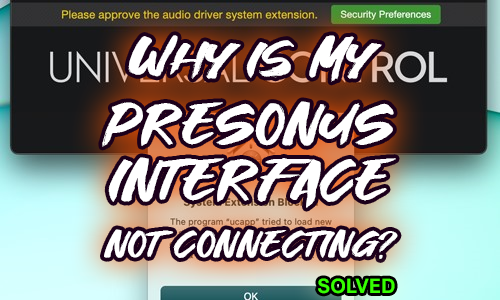
I updated the PreSonus Universal Control software, and now my Quantum audio interface is not connecting with Logic at all. How can I get it working?
Session Result
The connection failure was due to the client missing the 30-minute window to approve the new driver’s system extension in macOS Security Preferences. The issue was resolved by following the official PreSonus guide to remove and reinstall the driver, immediately followed by navigating to the Security Preferences to “Allow” the system extension, which restored the PreSonus Quantum’s connection to Logic Pro.
Read Full Case Study Report: PreSonus Audio Interface Not Connecting to Logic Pro: How to Fix Blocked Drivers in macOS SecurityRecent Reviews
Let’s Get Your System Running Smoothly.
No automated tickets, no waiting queues — just one-to-one help from an experienced music technology specialist. I’ll connect to your system remotely, identify the issue, and guide you through the fix.
