
Case Study
Using Professional Studio Microphones with WhatsApp
The Client’s Challenge
I connected with a client who presented a query that is becoming increasingly common among audio professionals. He owned a high-quality vocal recording setup—specifically a Røde NT1-A condenser microphone and a Focusrite Scarlett audio interface—and he wanted to know if he could use this equipment for his calls and voice messages on WhatsApp.
His goal was simple but significant: he wanted to speak over the phone using his professional voice equipment. As a voice professional, his voice is his instrument, and relying on a standard internal mobile microphone felt like a compromise. He wanted to ensure that when he communicated with clients or colleagues, the audio quality reflected his professional standards.
Session Setup
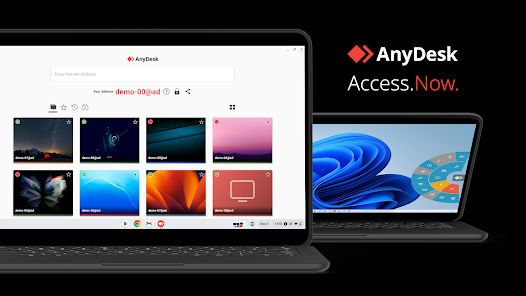
As with all Audio Support sessions, we connected remotely. This allows me to see exactly what the client is seeing and navigate their system settings directly.
The client was initially asking if he could connect his interface and XLR microphone directly to his mobile device for use within the WhatsApp mobile application. While there are dongles and adapters that can sometimes bridge this gap, they often introduce cabling complexity and reliability issues that aren’t ideal for day-to-day communication.
Diagnosis
The diagnosis here wasn’t technical failure, but rather a workflow misunderstanding. The client assumed the solution lay in adapting his hardware to his phone. However, the most robust solution lay in shifting the platform he was using to communicate.
I explained that while getting a Focusrite interface to play nicely with the WhatsApp mobile app can be hit-and-miss, there is a much more stable route. To achieve the broadcast-quality audio he desired, we needed to bypass the mobile limitations entirely and utilise the workstation where his equipment was already installed.
The Fix
The solution was straightforward and centred on integrating the WhatsApp Desktop application into his studio workflow.
First, we downloaded and installed the WhatsApp Desktop app on his computer. This is a crucial distinction from using WhatsApp Web in a browser, as the standalone app often handles hardware audio drivers more reliably.
Once logged in, I guided the client to the settings menu by clicking the cog icon in the bottom left-hand corner. From there, we navigated to the Audio Settings. This acts as a simple matrix for signal routing.
I changed the Audio Input source from the computer’s default webcam microphone to the “Focusrite Scarlett” driver. This meant that the signal from his Røde NT1-A—processed through the clean preamps of the interface—was now being fed directly into WhatsApp.
Next, we set the Audio Output to the Focusrite interface as well. This was equally important, as it allowed him to hear the conversation through his high-quality studio headphones, preventing the audio feedback loops that can occur if you use studio mics with desktop speakers.
Additional Support
Once the primary setup was working, I wanted to ensure the client had total control over his environment. Using a studio microphone is fantastic for professional calls, but it isn’t always necessary for a quick chat with a friend.
I showed him how to quickly toggle these settings back to the built-in webcam microphone and speakers. This kind of flexibility is vital; you don’t want to be tethered to a studio interface just to answer a casual ring. We tested the switching process a few times to ensure he felt confident managing his inputs independently.
Result
The difference in audio quality was immediate. We ran a test call, and the clarity of the Røde NT1-A came through perfectly.
The client was delighted. He now had the ability to use his voiceover equipment on a standard communication platform. It was a simple property to solve technically, but the emotional result was significant. He derived real joy from knowing that his voice—his professional instrument—was being heard at its best, even on a casual platform like WhatsApp.
Reflection
This case highlights a core philosophy at Audio Support: we look for the holistic solution, not just the immediate patch.
Technically, we could have spent an hour discussing lightning-to-USB adapters for his phone. However, by looking at his wider setup, we found a solution that was free, more reliable, and made better use of the computer he was already sitting in front of.
For audio professionals, the line between “studio work” and “communication” is blurring. Clients expect high-quality audio on Zoom, Teams, and now WhatsApp. Knowing how to route your professional gear into consumer apps is an essential skill for the modern creative.
Closing Thoughts
I help musicians and producers worldwide solve problems like this every day. If you’re struggling with integrating your hardware into everyday apps, I’ll help you find the real cause and get you back to creating.
Recent Reviews
Let’s Get Your System Running Smoothly.
No automated tickets, no waiting queues — just one-to-one help from an experienced music technology specialist. I’ll connect to your system remotely, identify the issue, and guide you through the fix.
