Category: Featured

  • Cubase and Me: Taming the Steinberg Beast (And the Truth About Version 15)

    Cubase and Me: Taming the Steinberg Beast (And the Truth About Version 15)

    It is a curious relationship, the one we forge with our Digital Audio Workstations. It is not unlike a marriage—moments of profound creative harmony punctuated by episodes of baffling, silent treatment. If you are currently staring at a splash screen that hasn’t moved for twenty minutes, or a “Content Missing” error that defies all logic, let me start by assuring you: it isn’t you, and it isn’t your computer’s fault. It is simply the ghost of architecture past.

    I have been conducting investigations into the inner workings of Cubase since the days of version 3. My journey began not in a high-end mastering suite, but at Hextable School here in Kent. For five years, I was tasked with guiding Year 10 students through the wilderness of their music GCSEs. If you can successfully teach thirty teenagers to compose music simultaneously without the school’s IT network collapsing in a heap of despair, you learn a thing or two about system stability.

    From those chaotic classrooms, I placed a modest advertisement in Sound On Sound magazine—back when the classifieds were the holy grail for engineers—and began visiting home studios across the country. I have stood in hundreds of spare bedrooms and garage conversions, helping musicians record their guitars, route their synthesisers, and capture their vinyl collections.

    And in that time, from Cubase SX3 through to the modern day, I have noticed a pattern. The software changes, yet the struggle remains remarkably consistent.

    This is where I come in. My most forensic work involves configuring Cubase on school networks—a task so labyrinthine and fraught with danger that I charge IT Consultant rates for it, simply because few others dare to touch it.

    However, for the home musician, I view myself more like your local plumber or mechanic. You don’t need a computer scientist; you need someone who knows exactly which valve to turn to stop the leak.

    My professional claim is simple: I will untangle the mess.

    Whether it is a “Content Missing” loop, a VST instrument that refuses to acknowledge its own sample library, or the dreaded silence of a routing error, I navigate the file paths so you don’t have to. I know where Steinberg expects a file to be, versus where the installer decided to put it. I can stop those incessant manual relocation clicks and ensure that when you press ‘Record’, the only thing you have to worry about is your performance.

    If you have upgraded to Cubase 15 and found it has brought you nothing but frustration and a hidden plugin list, do not despair. The software is trying its best, but it needs a translator.
    I am available to be that translator. Let’s get you back to making music, shall we?

    Paul Andrews, Audio Support audiosupport.co.uk


    No automated tickets, no waiting queues — just one-to-one help from an experienced music technology specialist. I’ll connect to your system remotely, identify the issue, and guide you through the fix.

    Recent problems solved for real clients.

    Optimising Logic Pro CPU Usage for Large Orchestral Mixes

    Client’s Question

    Why does Logic Pro keep crashing when I add plugins to my tracks?

    Session Result

    CPU load drastically reduced; mix workflow stabilised via bus routing.

    Read Full Case Study Report: Cubase and Me: Taming the Steinberg Beast (And the Truth About Version 15)

    Preparing for a Studio Hardware Installation

    Client’s Question

    What cables do I need to connect my hardware synths to my mixer?

    Session Result

    Equipment audited, cable inventory confirmed, site visit planned.

    Read Full Case Study Report: Cubase and Me: Taming the Steinberg Beast (And the Truth About Version 15)
    Mono Microphone Only in Left Speaker Fix in Logic Pro

    Client’s Question

    Why is my mono mic input only coming out of the left speaker in Logic Pro?

    Session Result

    Mono input successfully centred by changing Logic Pro track format from Stereo to Mono.

    Read Full Case Study Report: Cubase and Me: Taming the Steinberg Beast (And the Truth About Version 15)

    Managing Native Instruments Komplete Libraries in Kontakt

    Client’s Question

    How do I hide unwanted libraries in the Kontakt side pane?

    Session Result

    Unused libraries hidden, visual clutter removed.

    Read Full Case Study Report: Cubase and Me: Taming the Steinberg Beast (And the Truth About Version 15)
  • A Producer’s Take: Choosing Your First DAW by Finding Your Workflow

    A Producer’s Take: Choosing Your First DAW by Finding Your Workflow

    Choosing a Digital Audio Workstation (DAW) is a big decision, and it’s one that should be guided by your specific goals and preferences. Rather than just listing features, let’s explore which DAWs are the right fit for different types of musicians based on over two decades of real-world experience.

    There are three key factors to consider when choosing your DAW:

    1. Your Budget: The cost of the software is often the first hurdle.
    2. Your Computer System: Are you using a Mac or a PC? This can significantly narrow down your options.
    3. Your Peers and Collaborators: What are the people you work with already using?

    Logic Pro: The Mac User’s Champion

    If you’re a Mac user, Logic Pro is arguably the best choice available. It’s a powerful and user-friendly DAW that many musicians find easy to learn and get great results with.

    • Who it’s for: Mac users who want to record, edit, and mix music with a huge library of high-quality sounds and instruments right out of the box.
    • Why it’s a great choice: It’s intuitive for musicians, allowing you to focus on recording and songwriting. The built-in presets and sound libraries are exceptional, making it easy to create professional-sounding recordings.
    • A major consideration: It’s Mac-only, and you’ll always be dependent on Apple’s hardware and software updates, which can sometimes cause compatibility issues.

    Pro Tools: The Professional Standard

    Pro Tools has long been considered the industry standard, particularly in professional recording studios and broadcast. It excels in one key area.

    • Who it’s for: Audio engineers, producers, and professionals in the broadcast industry.
    • Why it’s a great choice: It has the most advanced and powerful audio editing tools. If your workflow involves heavy audio manipulation and you need to exchange files with professional studios, Pro Tools is often a necessity.
    • A major consideration: It’s less intuitive for MIDI editing and isn’t the most user-friendly choice for a solo musician focused on songwriting.

    Ableton Live: The Loop and Live Performance Machine

    Ableton Live is a highly creative DAW with a unique workflow that has made it a go-to for many electronic musicians and performers.

    • Who it’s for: Electronic musicians, DJs, beatmakers, and anyone who wants to perform their music live.
    • Why it’s a great choice: The Session View is a brilliant tool for experimenting with loops and creating new ideas on the fly. It’s built for creativity and live performance.
    • A major consideration: Its workflow isn’t as intuitive for recording traditional instruments or linear songwriting, and it doesn’t have the same extensive library of presets for this purpose as Logic Pro.

    Cubase: The PC Composer’s Choice

    Cubase is a fully-featured DAW available for both Mac and PC, but it is a particularly strong contender for professional PC users.

    • Who it’s for: PC users, professional composers, and musicians who want to work with large, expensive sound libraries.
    • Why it’s a great choice: It’s an excellent, robust DAW with a long history. Its MIDI editing and sequencing features are very powerful.
    • A major consideration: Its presets and overall user-friendliness aren’t as immediate as Logic Pro, and it can take more time to get a great sound.

    FL Studio: The Beatmaker’s Budget Pick

    FL Studio has a massive following and is often the first DAW for those getting into music production.

    • Who it’s for: Beatmakers and aspiring producers who are on a tight budget.
    • Why it’s a great choice: It’s one of the most budget-friendly DAWs and has an incredibly strong community and a fun, loop-based workflow that is perfect for creating beats and electronic music.
    • A major consideration: The process of recording and editing real instruments is clunky and not as intuitive as other DAWs.

    Reaper: The High-Value Contender

    Reaper is a simple, affordable, and powerful DAW that’s growing in popularity. It’s perfect for users who want to record and mix without breaking the bank.

    • Who it’s for: Musicians and producers on a budget who want a robust DAW for recording and mixing.
    • Why it’s a great choice: It’s one of the most affordable DAWs on the market and has all the core features needed to produce professional-quality recordings.
    • A major consideration: It’s not as user-friendly when it comes to presets and complex audio routing, which can be a limiting factor for more advanced setups.

    Final Recommendation

    Ultimately, the best DAW for you depends on what you want to achieve. If you’re a Mac user, Logic Pro is the clear standout. If you’re on a PC, Cubase is a great choice for professional work, while Reaper is excellent for musicians on a budget. For electronic music and beat-making, Ableton Live or FL Studio are fantastic choices, especially if your friends are already using them.

    Remember, a great song can be made on any DAW. The best software is the one you feel most comfortable using.

    About this Guide

    This guide was crafted based on over two decades of hands-on experience working with musicians and producers. The insights shared here come from a deep understanding of how different creative workflows and personal goals influence the choice of a Digital Audio Workstation. The goal is to provide real-world advice that goes beyond a simple feature list.

    About the Author

    Paul Andrews is a provider of expert music technology support

    Paul Andrews is a music technology expert with decades of experience in audio engineering and studio production. As the founder of Audio Support, he specializes in resolving complex technical issues for producers, musicians, and content creators. Paul’s proven expertise in troubleshooting and optimizing audio setups has earned him outstanding client reviews and a reputation for providing reliable, one-on-one support. You can book his time directly and get your audio problems solved on this website.

    Audio Support Services

    https://www.audiosupport.co.uk/services/
  • 5 Years of Remote Cubase Support – Jim Stuart

    5 Years of Remote Cubase Support – Jim Stuart

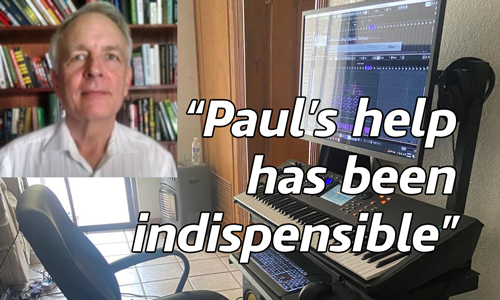
    When faced with a blizzard of options and screens Paul’s help has been indispensible… He has never been stumped in the years he has helped me.  Whether he knows the answer immediately or finds it quickly, he has always gotten me going without hassle in any number of situations.

    Jim Stuart, March 2024

    Jim Stuart is retired and lives in Juarez, Mexico. Jim has been a music lover all his life and in 2019 he decided he wanted to buy some music software to record his own compositions.

    Jim had bought a copy of Cubase Pro, but very quickly ran into problems with installation and getting sound out of the software. He found Audio Support online and booked Paul to help him get Cubase up and running. Since then, Jim has been booking occasional remote sessions with Paul to help him with various aspects of his music hobby.

    In this article, Paul from Audio Support explains the help he has provided to Jim between 2019 – 2024.

    2019

    Initial remote setup of Jim’s music system

    2020

    • Installing a new keyboard
    • Advice on improving Jim’s productions
    • How to find a session vocalist online

    2021

    Rebuilding Jim’s music system on a new PC

    2022

    • Installing new plug-ins
    • Troubleshooting problems

    2023

    Troubleshooting

    2024

    Installing a new keyboard and speakers

    Jim’s review

    2019

    Initial Setup of Jim’s System

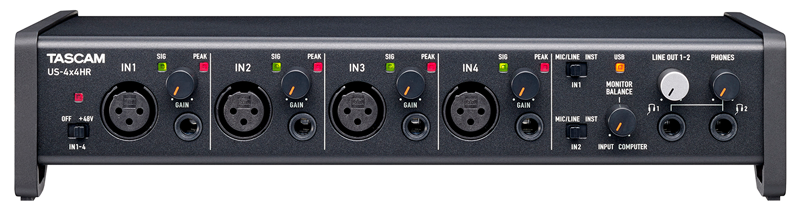
    In 2019 Jim decided to start composing and recording his own music as a retirement hobby. He bought a copy of Cubase Pro 10 and a Tascam 4×4 audio interface, but had problems getting both working on his PC. He found Audio Support via a Google search and sent me this message via my email enquiry form:

    Hi, I am interested in cubase pro 10 support.  In a nutshell the system is new, installed, but some things aren’t working.  No sound / audio connections, “files missing”. How to I schedule an hour of help? Look forward to hearing from you. Jim

    I replied to Jim and via email we worked out the practicalities of how we were going to connect, timezone differences, installing software and speaking via WhatsApp etc. Jim was new to using remote support services but I was able to guide him through getting everything he needed installed on his PC and phone.

    In our first remote support session we installed AnyDesk on his PC so I could take control. I installed the correct drivers for his audio and MIDI devices and configured Cubase to use the Tascam as it’s audio output device. I talked Jim through where to plug his headphones in to hear sound and which knob he could use to adjust the volume. Even though I couldn’t see Jim’s equipment I used Google’s image search feature to find a picture and talk Jim where to find the right sockets and controls.

    Once Jim had a working Cubase setup we arranged a few sessions where I gave Jim some lessons on how to load VST instruments in Cubase and how to make basic MIDI recordings. We practiced with some practical examples and I made sure Jim was confidently able to use basics of the software for himself.

    Jim contacted me a few weeks later for more help. He had tried the basic sounds available in Cubase but wanted to expand the range of sounds on his system. He had researched what was available and had bought some new sample libraries and plug-ins that he wanted to install:

    • Albion One
    • The Orchestra
    • Sessions Guitarist Picked Accoustic
    • Keyscape

    Over a couple more remote support sessions I helped Jim with the downloads, installations and activations of all his new products.

    Almost every plug-in has a different method for users to preview and load sounds and some can be less than obvious to new users. Jim and I spent time making sure he was comfortably able to use his new software. I’m always comfortable switching between ‘tech support mode’ and ‘teaching mode’ in my remote support sessions. Whatever is needed for my client at that moment.

    Jim was happy to have all his software installed and was now reasonably confident that he could get on with making some tracks on his own.

    2020

    Installing a New Keyboard

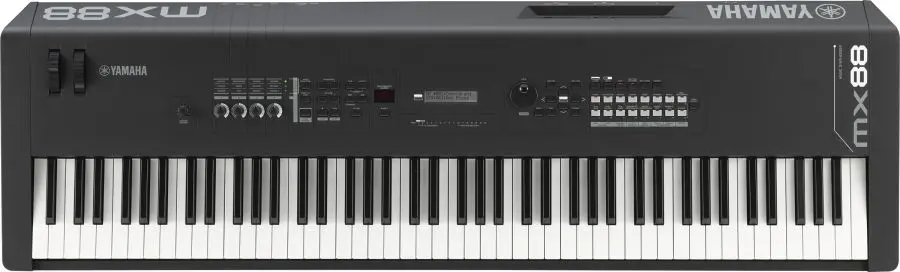
    In mid-2020 Jim contacted me again. He had bought a Yamaha MX88 keyboard and needed help setting it up in Cubase. He wanted to:

    • Be able to use the MX88 as a controller and record midi tracks in Cubase
    • Playback the midi track in Cubase and generate sounds either from Cubase or the MX88
    • Store and recall the MX88 patches from Cubase

    I was able to help Jim with all his requests.

    1. I downloaded and installed the correct drivers for the MX88 and configured Cubase to recognise it. I talked Jim through where to connect the physical usb and audio cables between the keyboard, the PC and the audio interface.
    2. I ran a few tests and then gave Jim a lesson on how to use the MX88 as a midi device in Cubase and the similarities and differences to the VST instruments that Jim was already familiar with.
    3. I set up the MX88 as a MIDI Device within Cubase’s preferences and that allowed Jim to select sounds within Cubase and load them onto the MX.

    Advice on Jim’s Productions

    Jim sent me a few mp3s of songs that he was working on. Via email and during remote sessions, we had some conversations about what Jim could do next with his songs. I showed him some more intermediate features of MIDI such as velocity and note length editing to add more of a human-feel and realism to his virtual instrument tracks.

    We looked at how to use volume and panning to balance a mix within Cubase and how automation can be used to control the mix in different sections of a song.

    Finding a Session Vocalist

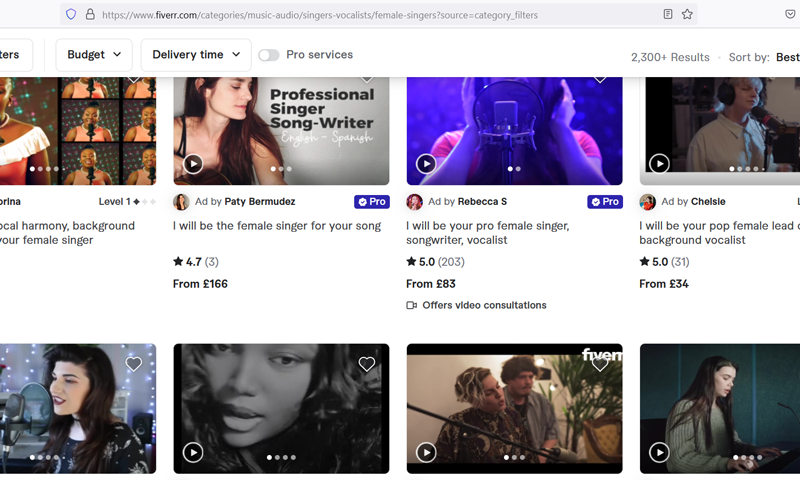
    Jim had written some lyrics for his songs and wanted to find a singer to record them. I showed Jim how the website Fiverr works and that there were thousands of session vocalists on the site who would record his lyrics for an affordable fee.

    We looked at singer’s profiles and listened to their demos. Jim chose some he liked and we sent out some introductory messages via Fiverr.

    Once Jim could see how the system worked, he was able to continue the process on his own. He decided on a vocalist he wanted to work with and she sent him WAV recordings of the vocal parts.

    Jim and I connected again and I showed him how to import those WAV files into Cubase and apply basic mixing techniques to get the vocals sounding great with the backing track. We bounced down the tracks to MP3 and Jim now had some finished songs.

    Now Jim had a method established for making music he was happy with, we paused our sessions so he could practice on his own.

    2022

    Installing new plug-ins + troubleshooting problems

    Jim contacted me only a few times in 2022. He had bought a few new plug-ins for his set-up and needed help with the installation and licensing. Jim had a problem with MIDI signals from the keyboard not being recognised in Cubase so we connected for a remote session to work out what had gone wrong.

    2023

    More Troubleshooting

    Jim continued to contact me occasionally when he needed help. For example the sound suddenly stopped working in a individual Cubase project and Jim couldn’t work out why. This is one of the problems I wrote about last year when I first started writing reports of my support sessions:

    No Sound in an individual Cubase Project

    No Sound in an individual Cubase Project

    Spoke to a client in the US who was having a problem with no sound being heard in a Cubase project t…

    Mixing Advice

    Jim continued sending examples of his work by email and I would reply with comments and advice on how he could improve the production. We connected remotely and I gave him some lessons on mixing in Cubase. We looked at more advanced techniques such as using EQ effects to balance the frequency ranges of instruments in a mix and how he could adjust the volume envelopes of his synths and samples to control the rise and fall of MIDI notes.

    2024

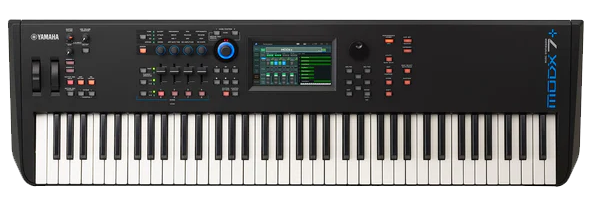
    In March 2024 Jim contacted me to help install a new keyboard into his music system. I sent him information on the right cables he would need and he ordered them online. Once they arrived, we connected remotely and I guided Jim through where to plug everything in.

    I installed the correct drivers and we tested everything was working correctly in Cubase with a few test recordings.

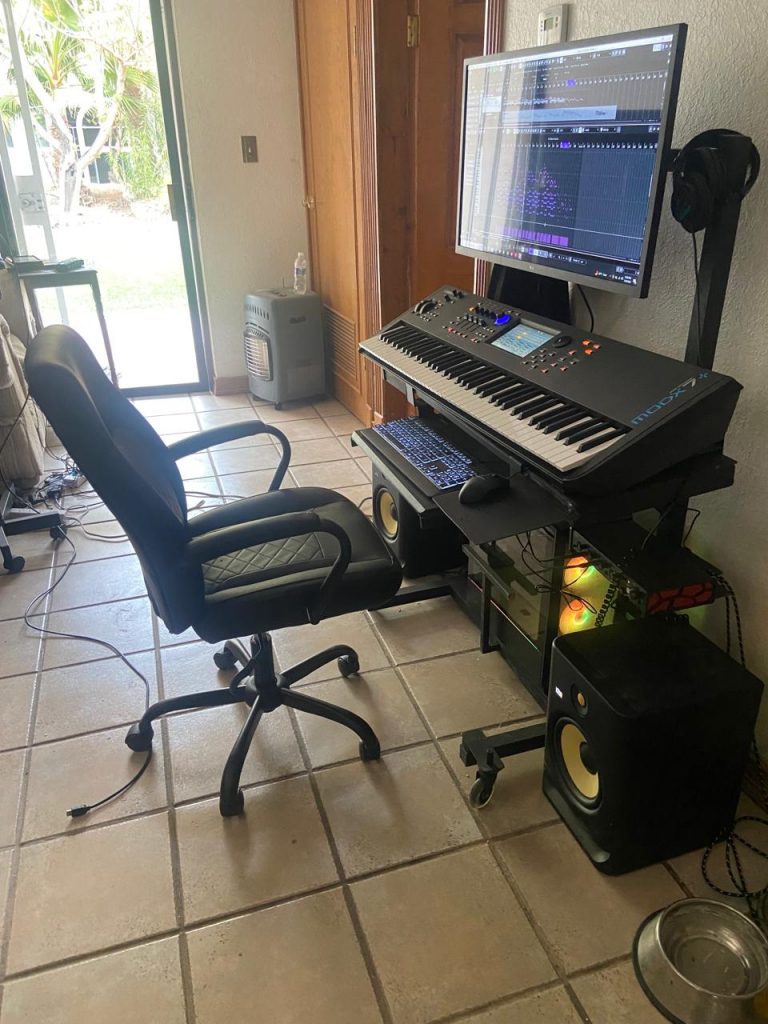
    Jim sent me a photo of his current music setup

    Review

    At the end of our last session, Jim told me that the services I have provided him over the last five years had been enormously beneficial to him and he wanted to help others find out about my services. He suggested I write this article to explain the work I’ve done for him and he would write me an updated review. Here’s what Jim had to say:

    I found Paul soon after I started composing with Cubase (11).  I’m an older person (78), with some familiarity with computer technology.  Having relatively few remaining years  I have little patience with the technical nitty gritty of Cubase installation or configuration – I want to pass through that stage as quickly as possible to get to music creation.  Also, programs like Cubase have developed an enormous number of functions and features over years of feature creep, so that learning to use it can require significant effort.  Here again, when faced with a blizzard of options and screens packed full of tiny buttons, tabs, and symbols to click on – some visible, some hidden, and drop-downs screens and sub-screens and sub-sub screens Paul’s help has been indispensable.   I want to create music rather than spend a lot of time learning the thousands upon thousands of methods and options provided by Cubase, when for my purposes, I need to know less than 10%.  In seconds, Paul explains how to accomplish something which would otherwise require digging through a user manual with hundreds of pages, and usually a plethora of entries to address any search I perform, none of which answers my specific question directly.

    I can say truly that working with Paul is a pleasure.  He has never been stumped in the years he has helped me.  Whether he knows the answer immediately or finds it quickly, he has always gotten me going without hassle in any number of situations.  Apart from knowing his stuff, Paul is always upbeat and cheery and responsive to my specific needs.  His extensive knowledge of the music world has proved useful in helping me find outside resources such as singers to add vocals tracks to my songs. I also enjoy talking to him from time to time on general topics like industry trends, or the history or trajectory of technology development.

    Jim Stuart, March 2024

    Thanks for the kind words, Jim! It’s always been a pleasure to help you out and I hope I can continue to do so for many more years in the future. – Paul

    If you are in a similar situation to Jim and would like to book help from Paul please get in touch.

    Categories: ,

    No automated tickets, no waiting queues — just one-to-one help from an experienced music technology specialist. I’ll connect to your system remotely, identify the issue, and guide you through the fix.

    Recent problems solved for real clients.

    Optimising Logic Pro CPU Usage for Large Orchestral Mixes

    Client’s Question

    Why does Logic Pro keep crashing when I add plugins to my tracks?

    Session Result

    CPU load drastically reduced; mix workflow stabilised via bus routing.

    Read Full Case Study Report: 5 Years of Remote Cubase Support – Jim Stuart
    Preparing for a Studio Hardware Installation

    Client’s Question

    What cables do I need to connect my hardware synths to my mixer?

    Session Result

    Equipment audited, cable inventory confirmed, site visit planned.

    Read Full Case Study Report: 5 Years of Remote Cubase Support – Jim Stuart
    Mono Microphone Only in Left Speaker Fix in Logic Pro

    Client’s Question

    Why is my mono mic input only coming out of the left speaker in Logic Pro?

    Session Result

    Mono input successfully centred by changing Logic Pro track format from Stereo to Mono.

    Read Full Case Study Report: 5 Years of Remote Cubase Support – Jim Stuart
    Managing Native Instruments Komplete Libraries in Kontakt

    Client’s Question

    How do I hide unwanted libraries in the Kontakt side pane?

    Session Result

    Unused libraries hidden, visual clutter removed.

    Read Full Case Study Report: 5 Years of Remote Cubase Support – Jim Stuart
  • One Year of Weekly Remote Support: Derrick R Brown

    One Year of Weekly Remote Support: Derrick R Brown

    In the following article, Paul from Audio Support details a year of remote support services he provided to his client, Derrick R Brown. During weekly remote sessions, Paul was able to take Derrick from a non-functioning home studio to making his own music in Cubase and releasing it on Tiktok.

    February 2023

    In February 2023 I received a message from a new client, Derrick, who needed help with his Cubase setup:

    Hello. I have a problem with the music program Cubase 12 in setting it up, connecting up a midi keyboard and getting sound from the program. I can get sound using the mouse but not the keyboards. I have followed instructions using Youtube videos and all the studio and audio setting seem to be correct. I need some help please I am sure this is an easy fix but I am at a dead end now. Please help I am in Manchester UK. Derrick

    I replied to Derrick’s email and we arranged a time to connect. Once we were speaking on the phone and had a remote connection setup between our computers, Derrick explained the problem in more detail.

    Between ’05 and ’09 he had built a small home studio running Cubase, Maschine, sample libraries, various plugins and MIDI controllers. He had used his equipment to record and release his first album in 2009, but since then had taken time off music. He now wanted to get back into music making, but his studio wasn’t functioning in the same way it did in 2009. This was mainly due to a PC crash and having to have his hard disks replaced. Windows updates and upgrading to a new version of Cubase hadn’t helped.

    Technical Support

    During our first batch of remote sessions, Derrick and I tackled various technical issues:

    • Malfunctioning USB hubs
    • Identifying and replacing faulty HDMI cable
    • Installing Cubase updates
    • Installing driver updates
    • Installing updates for Native Instruments plugins and hardware
    • Testing audio recording in Cubase
    • Setting up a folder structure for Cubase
    • Replacing broken microphone cable
    • Tidying Derrick’s sample libraries
    • Indexing the sample libraries in Cubase’s Mediabay

    Once we had the studio functioning properly, we moved our focus from technical support to tuition. Derrick wanted to use his studio to create original RnB and Soul music. I’m not an expert on RnB, but with my technical input and Derrick’s musical ability, we were able to get results he was happy with.

    Creating Music in Cubase

    In our weekly lessons, we focused on particular pieces of software and I showed Derrick examples of how he could use them in his tracks. For example: one week we looked at creating drum beats in Maschine and then looked at how to use loops in Cubase’s Mediabay to overlay percussion tracks on the beats. Derrick practised the examples during our teaching sessions and then worked independantly between sessions practicing and using the techniques to create his own music.

    As our weekly sessions progressed, Derrick asked for my help achieving particular sounds and musical effects he heard in other productions and I did my best to try to help him find the sounds he wanted. As a teacher, I’m always happy to follow my learner’s interests and I let Derrick set the focus for our sessions.

    We installed EZ Keys, EZ Bass and the Unison MIDI Chord Pack and for a few months we focused on chord theory, how to build chord structures and how to turn those structures into songs. To further his knowledge of chords, Derrick started to practice basic songs on the keyboard and was quickly able to pick up changing chords and playing along with backing tracks. We looked at how chords relate to each other within a musical key and how we can use scales within that key to create melodies.

    Sometimes we would switch to technical support to solve problems that had arisen. For example, we found an issue with certain notes on Derrick’s MIDI keyboard, which after investigation turned out to be a hardware failure. Derrick ordered an Arturia Keystation MIDI controller which solved the problem and also came bundled with Arturia Keylab software bringing more sounds to the studio.

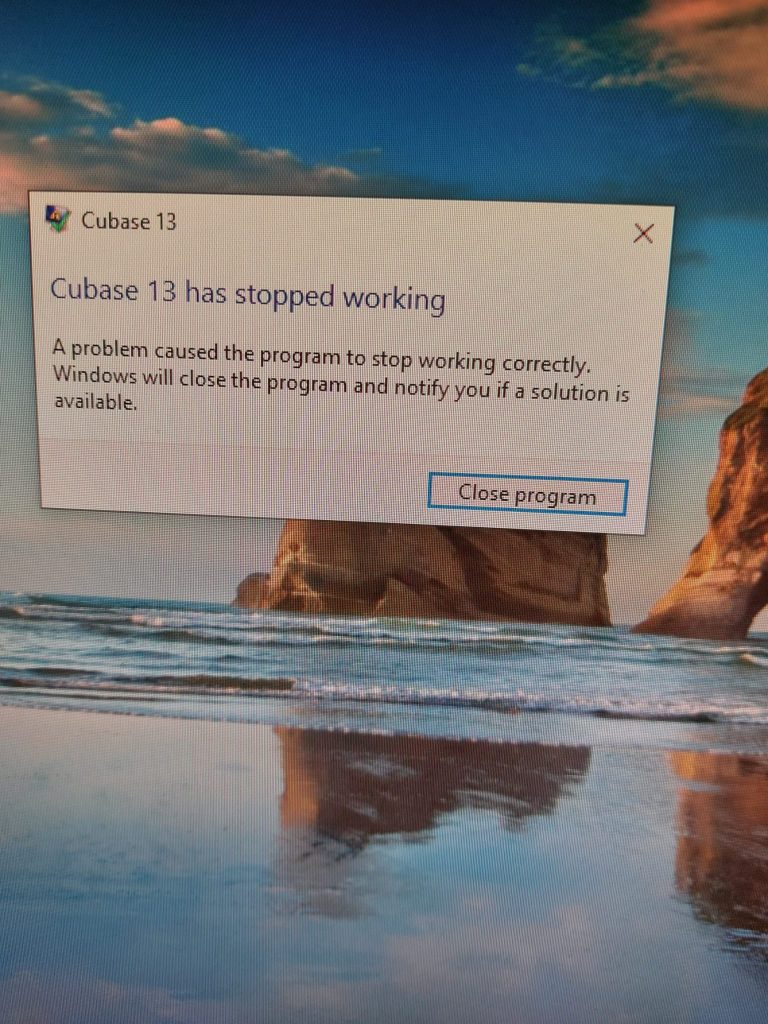
    We experienced a rather frustrating few weeks dealing with Cubase after we upgraded from 12 to 13. We wanted to be able to use some of the new chord functions in Cubase 13, but the software was unstable and constantly crashing. After hours of updating plugins and troubleshooting work, I recommended that Derrick switch back to using Cubase 12 until Steinberg release a bug fix for 13.

    At this point, Derrick and I had been working together for 9 months and (once we had Cubase stable), he was able to use everything that I had shown him to enjoy working independently on his own music between our teaching sessions. When we connected for our weekly remote sessions, I was mainly helping with the technical side of mixing his tracks and also offering suggestions on how he could turn his loops and ideas into fully developed songs.

    Derrick started writing lyrics for his songs and we looked at how he could get the best results from his equipment when recording vocals. We set up track presets in Cubase so he could easily get his vocals sounding the way he wanted on every Cubase project.

    Sometimes I would record short videos and send them for Derrick to refer to outside our sessions.

    Derrick was recording a new song pretty much weekly at this point and during our sessions we focused on polishing those songs and learning about mixing techniques. I showed him how we could use EQ to give each instrument its own space in the frequency range and how we could use compression and reverb to bring instruments/vocals forward or back in the mix.

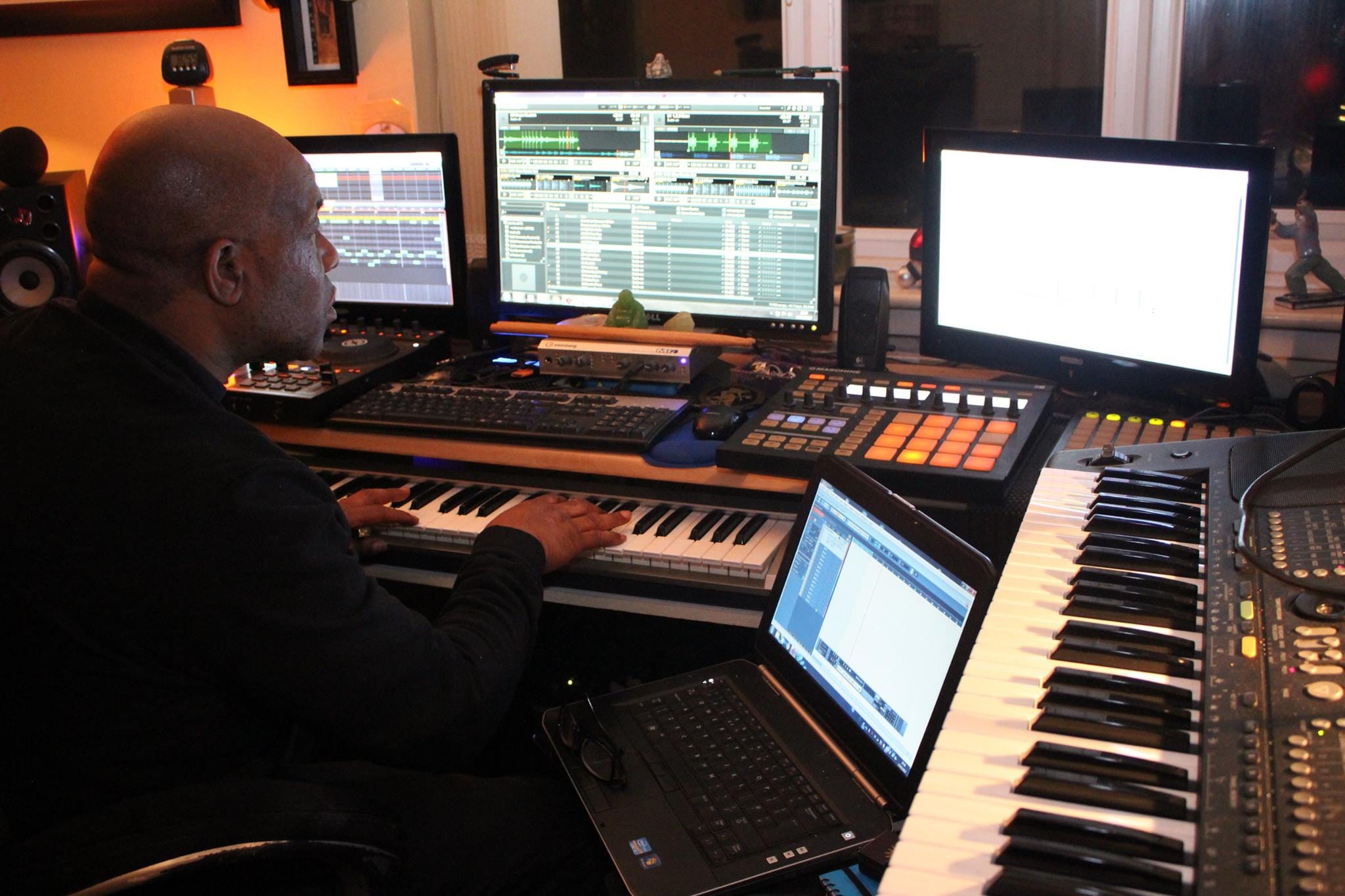
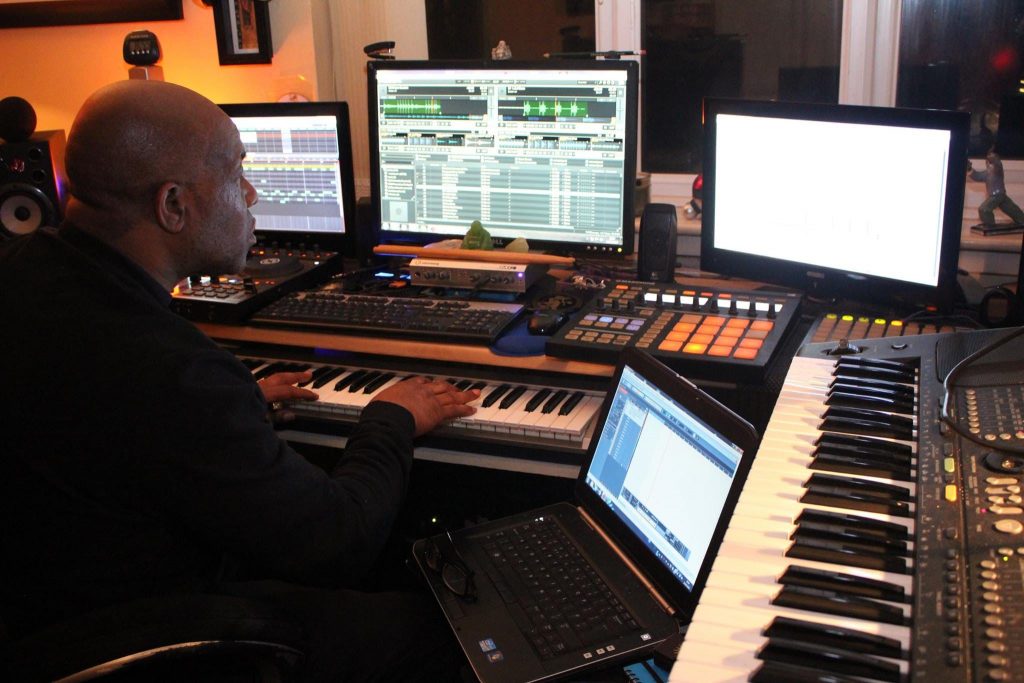
    Derrick sent me a pic of himself working on one of his tracks. His studio setup was looking great.

    Releasing on TikTok

    At this point Derrick had a small collection of songs that was happy with and wanted to put them online. He started making test posts on different platforms. His music received encouragement from friends on Facebook, but he found his biggest response was on TikTok where some of his videos received thousands of views.

    Derrick and I then explored how to best upload his music to TikTok. We found that in order to upload his full tracks, we needed to create videos that contained the music embedded within them.

    We used Microsoft’s ClimpChamp software to create simple videos with a background and text titles. Derrick and I spent a few weeks working through that process together and making sure Derrick was confident in creating the videos on his own.

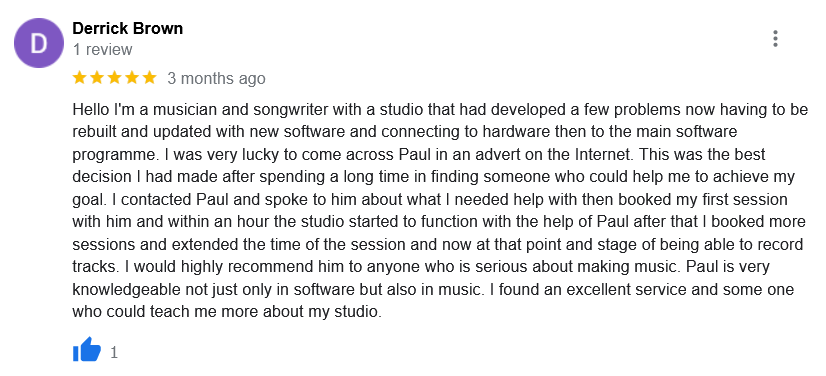
    Derrick was kind enough to write a review of my services and post it on my Google Reviews page.

    February 2024

    It’s now been a year since I first started working with Derrick and I’ve written this article to show in detail how I work with my long-term clients and the sort of individualised tuition/technical support services I can offer.

    I’m super proud of Derrick and everything he has achieved in the past year. You can find Derrick’s releases on TikTok here:

    @derrickrbrown
    Categories: , , , ,

    No automated tickets, no waiting queues — just one-to-one help from an experienced music technology specialist. I’ll connect to your system remotely, identify the issue, and guide you through the fix.

    Recent problems solved for real clients.

    Optimising Logic Pro CPU Usage for Large Orchestral Mixes

    Client’s Question

    Why does Logic Pro keep crashing when I add plugins to my tracks?

    Session Result

    CPU load drastically reduced; mix workflow stabilised via bus routing.

    Read Full Case Study Report: One Year of Weekly Remote Support: Derrick R Brown
    Preparing for a Studio Hardware Installation

    Client’s Question

    What cables do I need to connect my hardware synths to my mixer?

    Session Result

    Equipment audited, cable inventory confirmed, site visit planned.

    Read Full Case Study Report: One Year of Weekly Remote Support: Derrick R Brown
    Mono Microphone Only in Left Speaker Fix in Logic Pro

    Client’s Question

    Why is my mono mic input only coming out of the left speaker in Logic Pro?

    Session Result

    Mono input successfully centred by changing Logic Pro track format from Stereo to Mono.

    Read Full Case Study Report: One Year of Weekly Remote Support: Derrick R Brown
    Managing Native Instruments Komplete Libraries in Kontakt

    Client’s Question

    How do I hide unwanted libraries in the Kontakt side pane?

    Session Result

    Unused libraries hidden, visual clutter removed.

    Read Full Case Study Report: One Year of Weekly Remote Support: Derrick R Brown