
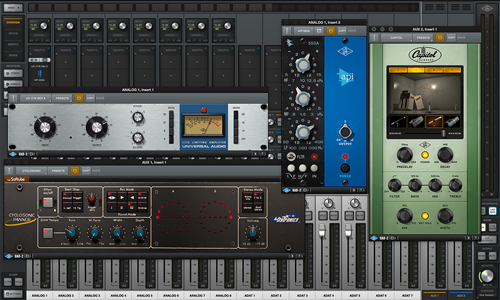
Universal Audio Support
Independent Expert Help for Synths, Keyboards & MIDI Controllers
Universal Audio Support
Independent Expert Help for Apollo, Volt & UAD Plug-Ins
Universal Audio interfaces and plug-ins are trusted in professional studios — but driver conflicts, firmware updates or DAW integration issues can still derail a session.
I’m Paul Andrews from Audio Support, an independent Universal Audio specialist. I help musicians and producers fix Apollo/Volt connection & configuration, Console routing, UAD plug-in authorisation, buffer/latency and LUNA integration — all via secure remote sessions.
While Universal Audio’s official support focuses on accounts and hardware registration, I go further by diagnosing your whole recording environment. From Thunderbolt driver settings to DAW I/O and session templates, I ensure your system works as one stable, creative tool across macOS and Windows.
Whether you use Mac or PC, Logic Pro, Cubase, Ableton Live or Pro Tools, I can help you solve connection issues, optimise buffer settings, and restore smooth performance with your Apollo, Volt or LUNA setup.
Audio Support is an independent service for Universal Audio users and is not affiliated with Universal Audio Inc.
Recent Problems Solved
Real client’s stories from the case study archive
Fixing the Cubase UAD Resource Error on a New PC
13 February 2026
Client’s Question
Why does Cubase say my UAD plugins are out of resources?
Session Result
UAD DSP resources freed, Cubase project stable.
Read Full Case Study Report: Fixing the Cubase UAD Resource Error on a New PCLogic Pro Summing Mixer Setup with an Apollo X8 Interface
12 February 2026
Client’s Question
How do I route Logic Pro to my summing mixer via an Apollo X8?
Session Result
Summing mixer integrated, Logic Pro routing confirmed.
Read Full Case Study Report: Logic Pro Summing Mixer Setup with an Apollo X8 InterfaceUAD Console Plugin Authorization: A Quick Fix Guide
3 February 2026
Client’s Question
Why are my purchased UAD plugins showing as a demo in Console?
Session Result
UAD plugins authorized, console workflow established.
Read Full Case Study Report: UAD Console Plugin Authorization: A Quick Fix GuideRecent Reviews
Let’s Get Your System Running Smoothly.
No automated tickets, no waiting queues — just one-to-one help from an experienced music technology specialist. I’ll connect to your system remotely, identify the issue, and guide you through the fix.
