
Expert Remote Tech Support for Musicians, Producers & Streamers
Solve audio problems fast — from plug-ins to interfaces — with one-to-one remote help from Paul Andrews at Audio Support.
Tired of wrestling with your audio gear instead of making music?
If you’re battling crackles, dropouts or devices that refuse to connect, you’re not alone. I help creatives worldwide get their setups running smoothly again — fast.
- Microphone not working with your DAW or streaming app
- Confusing audio routing or signal flow
- Plug-ins crashing or disappearing
- Audio interface not connecting properly
- Strange playback or latency issues
With Audio Support, you get direct, one-to-one remote troubleshooting — no scripts, no waiting queues, just real solutions.
Recent Problems I’ve Solved
Case Study Reports from Real Clients






How I Help
Audio Hardware Setup
- Interfaces
- Mixers
- Mics
- Outboard
Plug-in & Software Conflicts
About
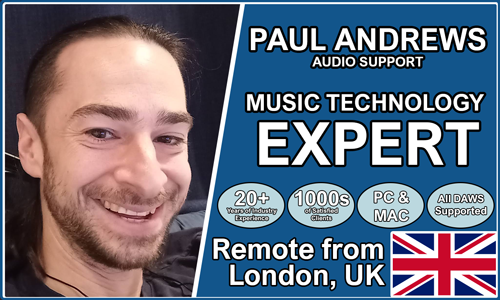
I’m Paul Andrews, founder of Audio Support. With over 20 years of experience in music technology and education, I help creatives around the world keep their studios running perfectly.
Trusted by Musicians Worldwide
Let’s Get Your System Running Smoothly.
No automated tickets, no waiting queues — just one-to-one help from an experienced music technology specialist. I’ll connect to your system remotely, identify the issue, and guide you through the fix.
More Case Studies
Recent problems solved for real clients.
Optimising Logic Pro CPU Usage for Large Orchestral Mixes
3 January 2026
Client’s Question
Why does Logic Pro keep crashing when I add plugins to my tracks?
Session Result
CPU load drastically reduced; mix workflow stabilised via bus routing.
Read Full Case Study Report: Optimising Logic Pro CPU Usage for Large Orchestral MixesPreparing for a Studio Hardware Installation
14 December 2025

Client’s Question
What cables do I need to connect my hardware synths to my mixer?
Session Result
Equipment audited, cable inventory confirmed, site visit planned.
Read Full Case Study Report: Preparing for a Studio Hardware InstallationMono Microphone Only in Left Speaker Fix in Logic Pro
14 December 2025

Client’s Question
Why is my mono mic input only coming out of the left speaker in Logic Pro?
Session Result
Mono input successfully centred by changing Logic Pro track format from Stereo to Mono.
Read Full Case Study Report: Mono Microphone Only in Left Speaker Fix in Logic ProManaging Native Instruments Komplete Libraries in Kontakt
12 December 2025

Client’s Question
How do I hide unwanted libraries in the Kontakt side pane?
Session Result
Unused libraries hidden, visual clutter removed.
Read Full Case Study Report: Managing Native Instruments Komplete Libraries in Kontakt