Recently, I re-connected with jazz composer TA for a series of remote lessons in the advanced features of Cubase. One item we covered was Cubase’s Edit-In-Place option and how MIDI CC data is displayed.
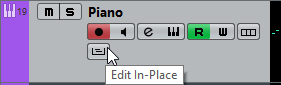
The Edit-in-Place button can be found on the Track List. Next to the Record Enable, Mute A and Solo buttons.
TA had a question for me.
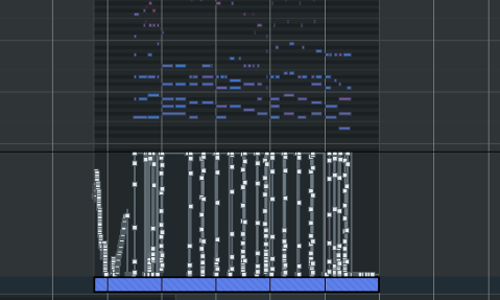
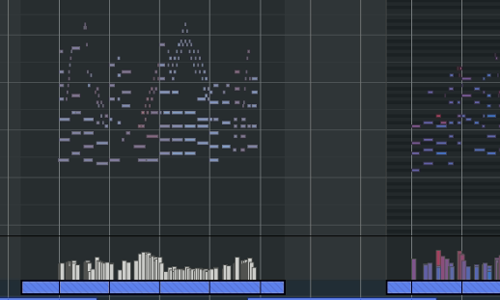
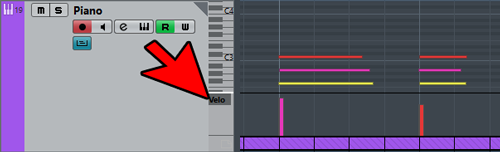
Why is it when I expand an Instrument track in Cubase sometimes the lines beneath the notes look like picture 1 and sometimes they look like picture 2?
Picture 1Picture 2
Good question!
The answer is that in the two examples above, there are two different types of MIDI data being displayed. Picture 1 shows Sustain data and Picture 2 shows Velocity data.
Sustain data is captured when you open or close the sustain pedal on your controller keyboard.
Velocity data is captured with every MIDI note and records how fast you press each key. When the MIDI data is playing a Piano instrument, Velocity data controls the volume of each individual note.
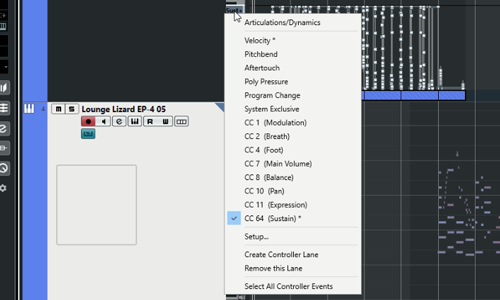
You can choose which data to display by clicking the name of the data in the small box found here:
This gives you a list of the most commonly used MIDI Continuous Controller (CC) numbers. More numbers are available by clicking Setup at the bottom of the list. Any numbers which already have recorded data are marked by a star.
In the next part of the lesson, TA and I went through how he could edit the data and also looked at other MIDI CC numbers and how they might be useful to his compositions. I showed him how we could use CC Number 11 to control the Expression parameter of some of his Kontakt string instruments.
This is a single example of one of the many aspects of Cubase that TA and I have been looking at over a course of ten lessons.
If you have any questions about Cubase and would like to book a lesson with an experienced Cubase teacher based in London, UK then please Get in Touch. Lessons are £60 ($80) for a single hour and discounts are available for multi-hour bookings.
I’m the owner and lead technician for Audio Support, a small company based in London, UK that connects remotely with clients worldwide to help them with their music technology issues. I’ve run Audio Support since 2005 and in that time I’ve seen and solved thousands of recording studio problems.
Outside of Audio Support, I run music workshops at a local school, play bass in a 90s tribute function band and perform modular synth jams with friends on Twitch.