This week I was booked to resolve issues for two separate clients using different DAWs but with similar problems. One client was using Cubase and the other Pro Tools. In both cases, the problem turned out to be Waves plug-ins.
The Problem
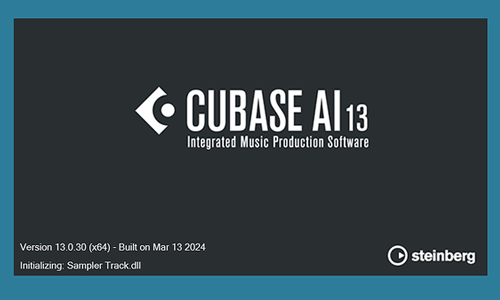
When my client opened Cubase 13 the loading splash screen would freeze and take up to 10 minutes to resolve before loading the application.
Once Cubase had loaded, my client tried to open a project but found certain plug-ins were missing.
The Solution
I went through various tests to identify the cause of the slow loading issue and found that when I removed some (but not all!) Waves plug-ins from my client’s VST plug-ins folder Cubase would load at its normal speed.
Cubase uses a format of plug-ins called VST. Most plug-in developers release their plug-ins in this format and Cubase is able to interact with them as it programmed to do so. When there is an issue with a plug-in (for example a missing licence or missing file errors) an VST plug-in is able to launch an error message in Cubase and allow the user to solve the problem. (Activate the licence, locate the missing files etc)
Waves plug-ins use a different system involving container files in VST format called Waveshells that host bundle files containing the plug-ins. This system usually works fine, but it seems recent changes by either Steinberg or Waves have caused a situation that where Waves licence errors are causing them to be blocked by Cubase.
I experimented with using different versions of the Waveshells and trying to repair the Waves licences using Wave’s troubleshooting guides and the repair options in the Waves Central software. In recent years, Waves have started using a complicated system of licences/update plans to force their customers to buy updates to keep their products compatible with the latest DAWs. Users start to notice problems when they try to load old plug-ins within new DAW software or new plug-ins within older DAW software.
In this particular instance, there seemed to be an issue specific to the Waves V13 licence’s compatibility with Cubase 13. Interestingly, V11 and V14 plug-ins were working fine on my client’s system.
The easiest solution to the problem was to pay Waves $22 per plug-in to update the licences. Another option would have been to see if we could have used an older version of Cubase to run the plug-ins without updates, or to try using a different version of the Waveshells. Since the V11 licences were working, we could have explored that option.
My client wanted to resolve the problem quickly, so I showed him how to purchase the updates and active them in Waves Central. Once we had updated the Waveshells to V15, the plug-ins were restored in Cubase 13.
If you have a similar problem with your Cubase system or Waves plug-ins and would like to book a remote support session with an Audio Support expert, please get in touch.
Find out more: How our service works.
ABOUT THE AUTHOR

PAUL ANDREWS
I’m the owner and lead technician for Audio Support, a small company based in London, UK that connects remotely with clients worldwide to help them with their music technology issues. I’ve run Audio Support since 2005 and in that time I’ve seen and solved thousands of recording studio problems.
Outside of Audio Support, I run music workshops at a local school, play bass in a 90s tribute function band and perform modular synth jams with friends on Twitch.
Get support for similar problems
Get in Touch
- Use WhatsApp, email or the form below to contact us.
- We will confirm if we can help.
- We will arrange a date and time for a remote support session and send a link for you to make payment.
- At the agreed time, our technician will connect via voice call and remote desktop to resolve the issue.
Find out more about how our services work.