
Hi Paul. I need your assistance with my Pro Tools setup. I can see my Spectrasonics plug-ins (Omnisphere, Trillion etc) are out-of-date. I have looked online and the instructions for updating them are too complicated. Can you help me please? – PW
I received the above message from PW and we arranged a time to connect for a remote support session. At the start of our session, I called PW on the phone and talked him through how to run AnyDesk on his Mac. Once that was sorted and I had control of his Mac, I went through the Smart Update process as explained on Spectrasonic’s website.
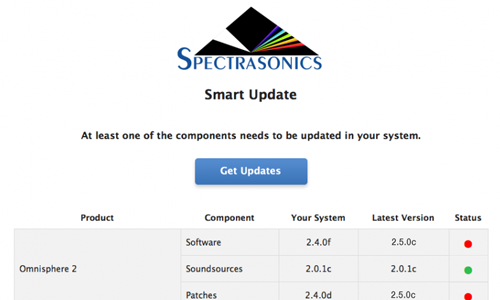
The process is not complicated, but is a bit fiddly. It didn’t take long and afterwards I checked all the Spectrasonics was working correctly in Pro Tools. We spent the rest of the hour that PW had paid for to check over the rest of his plug-ins for updates and tidy his Pro Tools session folders. I made sure PW’s OSX Time Machine backup software was running correctly.
PW is a professional composer who uses Pro Tools and audio plug-ins on a daily basis, but has no interest in managing software for himself. He regularly books my services to keep his Mac running smoothly and to resolve the occasional error message.
If you need help with any aspect of Pro Tools or audio plug-ins and would like to speak to a friendly professional, please get in touch.
ABOUT THE AUTHOR

PAUL ANDREWS
I’m the owner and lead technician for Audio Support, a small company based in London, UK that connects remotely with clients worldwide to help them with their music technology issues. I’ve run Audio Support since 2005 and in that time I’ve seen and solved thousands of recording studio problems.
Outside of Audio Support, I run music workshops at a local school, play bass in a 90s tribute function band and perform modular synth jams with friends on Twitch.
Get support for similar problems
Get in Touch
- Use WhatsApp, email or the form below to contact us.
- We will confirm if we can help.
- We will arrange a date and time for a remote support session and send a link for you to make payment.
- At the agreed time, our technician will connect via voice call and remote desktop to resolve the issue.
Find out more about how our services work.