
Hi Paul. I have just bought an Apollo Solo USB audio interface for my Windows laptop. I am having trouble re-installing it. I managed to initially install it successfully and it was working fine, but I started tinkering around with the free plugins that it came with, using a program called UAD Plugin Mate. I wanted to hide the demo versions as my DAW was swamped by them. I then became concerned that I might have deleted a few necessary ones, so I uninstalled the Apollo software and attempted to reinstall in the hope that any deleted plugins would come back. My system now says that its memory is full, and it won’t install the software.
M
I received this message by email and arranged a time to connect with M the next day. Once we had established the remote connection and I was inside M’s PC, I could see that the problem wasn’t too serious. The UAD software installer was failing because M had run out of space on his laptop’s hard disk.
I identified a number of large Cubase installer files in his downloads folder which were taking up about 20% of M’s total disk space. Now that the software had been installed, M didn’t need those files any more, so we deleted them. We were then able to run the UAD software installer.
We checked the Apollo interface was working in Cubase and that the correct driver had been selected in the Device Manager.
There was still an issue with the overwhelming number of plugins installed by the UAD software and only a few being usable without further purchase. To solve that, I showed M how we could hide plugins in both the Console software and Cubase’s VST Plugin Manager.
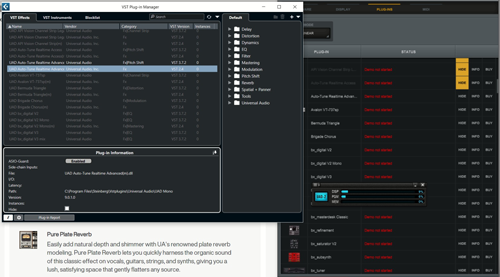
We used the remainder of the hour’s support session by looking at how M could add effects to his guitar in both Console and Cubase and the advantages/disadvantages of both. I showed M how to get the best results in both recording and mixing situations and we did a few test recordings of his guitar to show how this would work in practice.
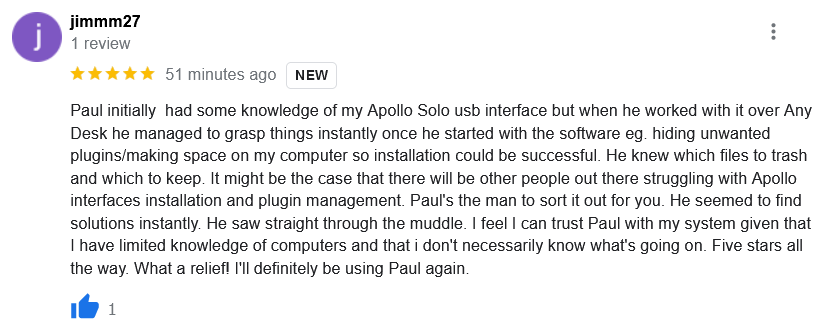
At the end of the session, M was kind enough to leave me a nice review.
Recent Reviews
Let’s Get Your System Running Smoothly.
No automated tickets, no waiting queues — just one-to-one help from an experienced music technology specialist. I’ll connect to your system remotely, identify the issue, and guide you through the fix.
