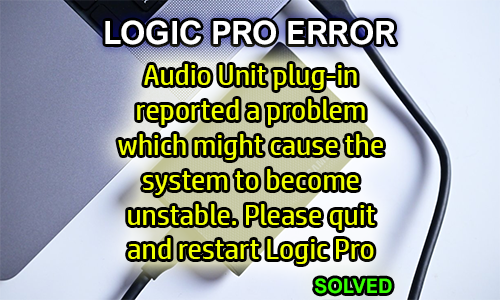
Hello Paul. I would be pleased to hire you if you know how to solve this issue: “Audio Unit plug-in reported a problem which might cause the system to become unstable. Please quit and restart Logic Pro”. I am on Mac Sonoma 14.3 – M1 chip using Logic 10.8.1.
I received the above message from Tim and we arranged a time to connect for a remote support session later that same day. At the start of the session, I called Tim via WhatsApp voice chat and we set up a remote connection between our computers using AnyDesk.
I asked Tim to load up Logic on his Mac and show me the problem occurring. Tim explained that the error message didn’t appear all the time, but only sometimes when he opened certain Kontakt sample libraries.
Tim loaded up Logic Pro and tried to load one of his Kontakt sample libraries. Logic threw up the same error message and needed to be restarted. I opened Native Access to check details of the Kontakt installation.
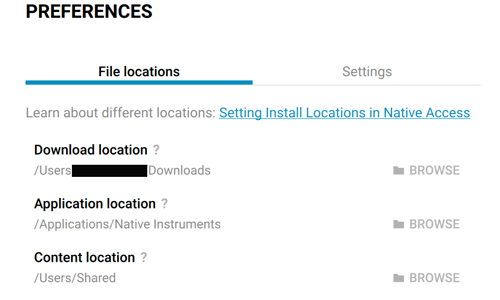
Looking through Native Access I could see that the library files were installed on an external hard disk that wasn’t currently shown as connected to the Mac. I asked Tim about this and he double-checked the USB-C connection to the external disk.
Once the USB cable had been reconnected, the disk now appeared on the desktop. We re-opened Logic Pro and checked the plug-in again. This time Kontakt opened the library without any issues. Problem solved!
I spent the remainder of the hour with Tim checking over his system and making sure everything else was installed and running smoothly. Tim and I had a chat about his music and I gave him some tips on some of the latest features of Logic Pro.
Tim was very happy that he now understood why his Kontakt library problem occurred and how to avoid it in the future. Although the solution turned out to be simple, he was grateful to have a professional look at his system and solve it for him. After the session, he took the time to write me this nice review:
Thanks, Tim!
ABOUT THE AUTHOR

PAUL ANDREWS
I’m the owner and lead technician for Audio Support, a small company based in London, UK that connects remotely with clients worldwide to help them with their music technology issues. I’ve run Audio Support since 2005 and in that time I’ve seen and solved thousands of recording studio problems.
Outside of Audio Support, I run music workshops at a local school, play bass in a 90s tribute function band and perform modular synth jams with friends on Twitch.
Get support for similar problems
Get in Touch
- Use WhatsApp, email or the form below to contact us.
- We will confirm if we can help.
- We will arrange a date and time for a remote support session and send a link for you to make payment.
- At the agreed time, our technician will connect via voice call and remote desktop to resolve the issue.
Find out more about how our services work.