My Donner DMK-25 MIDI controller isn’t listed in Cubase’s MIDI Remote Manager. How do I use the Play and Stop buttons on the keyboard to control Cubase? – Robbie
Paul Andrews of Audio Support explains how he helped his client solve this issue:
During a recent remote support session, I helped my client diagnose that the wrong USB-C cable was the cause of his MIDI controller not being recognised by Windows. In the second half of that remote support session, we moved on to answering Robbie’s question about assigning the transport buttons of the keyboard to control Cubase.
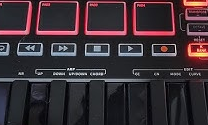
The process for setting up a remote MIDI device in Cubase is explained in the manual.
Whilst speaking via WhatsApp and using AnyDesk remote desktop, I guided Robbie through the steps in the manual to set up a new MIDI remote device. Unfortunately, we found a problem when trying to select the DMK-25 from the list of MIDI remote scripts provided by Cubase.
There were no MIDI controller scripts from the manufacturer Donner. The reason for that is that Cubase 12 is older than the DMK-25, so no script was written for the unit when Cubase 12 was released.
Robbie asked if an update to Cubase would be the solution. I explained to Robbie that he could pay to update Cubase but that in my experience Cubase 13 and 14 are poor releases full of bugs and we would likely create more problems in his setup that was currently running smoothly.
The simpler solution would be to find and install a patch script written for the DMK.
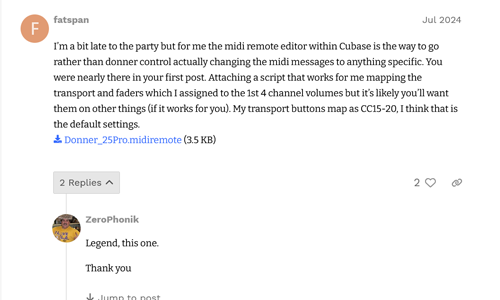
A quick Google search found one on the Steinberg Forums provided by the user Fatspan. Thanks Fatspan!
I guided Robbie through downloading and installing the script. Once installed, we could see that the MIDI remote functions were active and the transport buttons of the DMK-25 controlled the transport bar in Cubase.
Robbie was pleased that the solution was simple and didn’t require an update to Cubase.
If you need help diagnosing problems with MIDI controllers, Cubase or any other aspect of music technology, please get in touch.
Recent Reviews
Let’s Get Your System Running Smoothly.
No automated tickets, no waiting queues — just one-to-one help from an experienced music technology specialist. I’ll connect to your system remotely, identify the issue, and guide you through the fix.