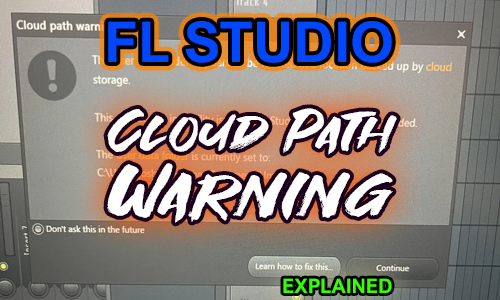
This week, I spoke to a client to help them figure out a warning message that popped up whenever they opened FL Studio.
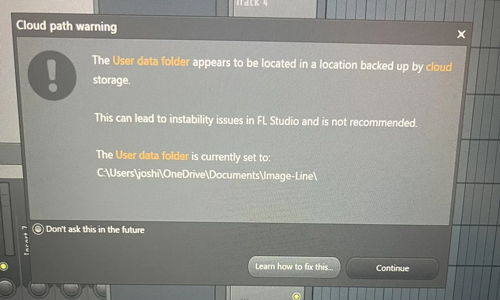
This message warns the user that their User Data folder is stored in a location managed by Microsoft’s OneDrive software.
OneDrive is a storage management feature of Windows that automatically moves files back-and-forth from the user’s PC to their Cloud storage in order to save space on their PC.
This is usually not a problem. Documents and pics can be safely stored on the cloud and quickly downloaded if the user wants to view them on their PC. Storing files on the cloud has the added advantage that they are accessible across all the user’s devices connected to that account. (Phones, tablets, second PC, etc)
The issue is that OneDrive is not suitable for pro-audio DAW applications such as FL Studio, Cubase, Ableton, etc. These DAWs need real-time access to thousands of individual files such as audio samples and presets that are stored on the user’s PC. If OneDrive has moved files off the PC, then FL Studio won’t be able to use them. The user will experience errors and crashes.
The solution is to move the FL Studio User Data folder to a location not managed by OneDrive. The FL Studio team have put information on how to do this on their site here.
Unfortunately, in my client’s case, there was an added complication that he had run out of space on his C: drive and was unable to download a copy of his full User Data folder onto his PC.
I explained that he would need to move files off his C drive and onto an external disk. Once he had made space on his C drive, he would be able to download his User Data folder into a non-OneDrive location and this would get rid of the warning message.
If you need help with managing Windows storage for FL Studio or any pro-audio please get in touch.
ABOUT THE AUTHOR

PAUL ANDREWS
I’m the owner and lead technician for Audio Support, a small company based in London, UK that connects remotely with clients worldwide to help them with their music technology issues. I’ve run Audio Support since 2005 and in that time I’ve seen and solved thousands of recording studio problems.
Outside of Audio Support, I run music workshops at a local school, play bass in a 90s tribute function band and perform modular synth jams with friends on Twitch.
Get support for similar problems
Get in Touch
- Use WhatsApp, email or the form below to contact us.
- We will confirm if we can help.
- We will arrange a date and time for a remote support session and send a link for you to make payment.
- At the agreed time, our technician will connect via voice call and remote desktop to resolve the issue.
Find out more about how our services work.