Hi Paul. I am pastor of a small church. We are having problems with our broadcast sound output. There are syncing issues when we livestream. Can you help us? — Anthony
I received the above message and arranged a time to visit Anthony’s church in South-East London.
Once on-site, we set up all the equipment and ran a test stream. Anthony explained that the problem didn’t happen immediately. As the church broadcast its service via Restream to YouTube and Facebook, the audio would gradually lose sync and become about 30 seconds behind the video after an hour.
The church’s setup was fairly simple.
- Wireless mics and piano were fed to a Behringer FLOW8
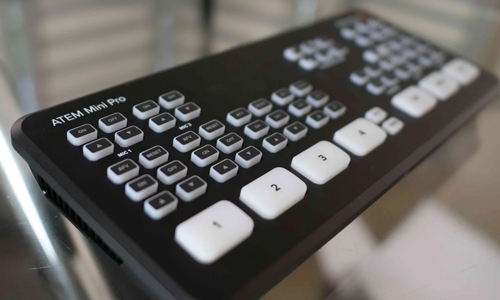
- FLOW 8 connected to a ATEM Mini Pro via AUX cable
- Sony Camera’s HDMI out connected to ATEM Mini Pro
- Restream running on Mac laptop
I did a bit of research online and found a number of sources that mentioned audio drift on the ATEM Mini Pro.
As suggested by the article, I updated the firmware on the ATEM Mini Pro and the Behringer FLOW 8. We ran another test and everything still worked with the new firmware.
I also showed Anthony how he could connect his FLOW8 interface to the Mac via USB rather than Aux, and this would improve the sound quality.
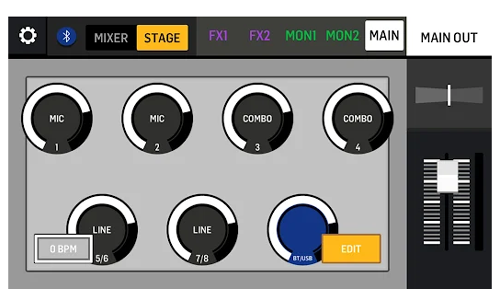
I also spent time showing him how to use the FLOW8’s software to set up both GAIN and LEVEL settings for the mics and piano to get the best quality sound during the church service.
We ran further tests and found the audio ran without drift for 45 minutes. The next test would be to see if it would remain stable for the full two hours of the next church service. I told Anthony to try it on Sunday and let me know.
If you or your church need help with any aspect of your audio technology then Get in Touch. I’m available for on-site support in the London, UK area or remote assistance worldwide.
ABOUT THE AUTHOR

PAUL ANDREWS
I’m the owner and lead technician for Audio Support, a small company based in London, UK that connects remotely with clients worldwide to help them with their music technology issues. I’ve run Audio Support since 2005 and in that time I’ve seen and solved thousands of recording studio problems.
Outside of Audio Support, I run music workshops at a local school, play bass in a 90s tribute function band and perform modular synth jams with friends on Twitch.
Get support for similar problems
Get in Touch
- Use WhatsApp, email or the form below to contact us.
- We will confirm if we can help.
- We will arrange a date and time for a remote support session and send a link for you to make payment.
- At the agreed time, our technician will connect via voice call and remote desktop to resolve the issue.
Find out more about how our services work.