Skip to content

Yamaha MODX7+ Setup with Cubase AI: Fixing Driver and MIDI Doubling Issues

  • by

Hi Paul. I am having problems using my Yamaha Mod X 7 Plus synthesier which came bundled with Cubase AI software. Can we connect for you to help me with this please? – Mark

I received the above message from Mark via WhatsApp and we arranged a time to connect later that week. Here’s a breakdown of how I helped Mark:

  • Connected our screens via Anydesk.
  • Checked that Mark’s Cubase AI software was correctly installed and activated.
  • Resolved a problem with Windows Scaling that was causing some of Cubase’s graphics to be hidden. More info about how to solve that problem here.
  • Checked Cubase was opening correctly – It was.
  • Checked if Yamaha ModX7+ was recognised as a MIDI device within Cubase – It wasn’t.
  • Downloaded and installed ModX7+ drivers from the Yamaha website.
  • Tested the MIDI connection was now working.
  • Made a few test recordings. Showed Mark how to create MIDI tracks in Cubase and how to record.
  • Downloaded the ModX7+ manual from the Yamaha website and read through relevant sections on Patches/Performances/Live Sets and how to select sounds on this particular synth.
  • Tested that Mark was able to change sounds on his synth for himself.
  • Showed Mark that he was currently experiencing a problem with doubled MIDI notes when recording. Explained how the Local Control function of his synth could solve this problem.
  • Used the manual to talk Mark through how to find Local Control and turn it on/off for himself.

At this point, our hour’s remote support session had run out of time, but Mark was happy that his synth was now set up correctly and working in Cubase.

Next steps are for Mark to test out his new setup and try some recordings for himself. We can reconnect for another support session if he needs further help.

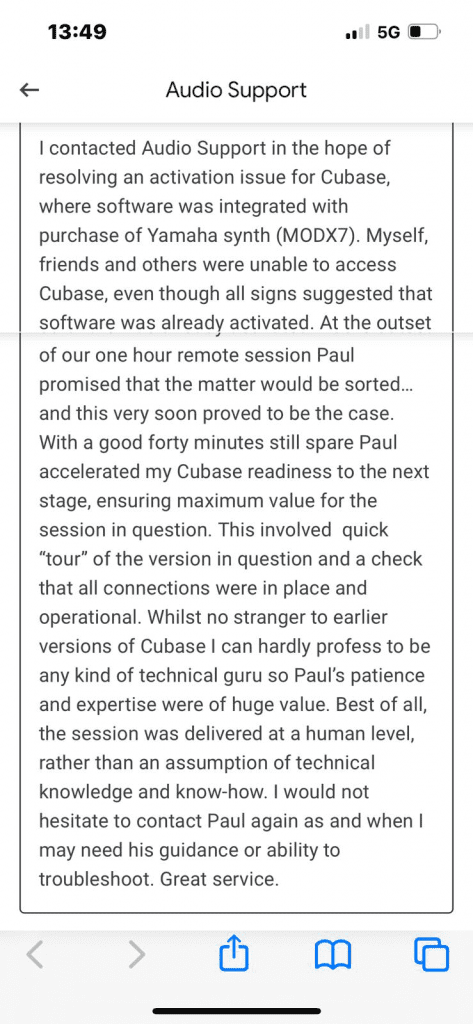
After the session Mark was kind enough to send me this nice review to post here:
Categories: , , ,

No automated tickets, no waiting queues — just one-to-one help from an experienced music technology specialist. I’ll connect to your system remotely, identify the issue, and guide you through the fix.

I usually reply to enquiries within a few hours during UK weekday daytime.

Once you make an enquiry, I’ll read it personally and reply with initial advice or a link to book a remote session if needed.

For booked sessions, you’ll receive a secure AnyDesk link and we’ll talk via WhatsApp or voice chat. Sessions last up to an hour — long enough to diagnose the cause and apply a practical fix.

How soon can you help me?

Usually within 1–2 days. Use the booking system below to find the next available slot.

How do remote sessions work?

We connect via AnyDesk for secure screen sharing and talk via WhatsApp or Google Meet. I guide you live.

What does it cost?

£90 per hour for remote troubleshooting (approx. $110 / €120). Paid securely via SimplyBook.

What if the problem isn’t fixed in one session?

You’ll get a clear plan: next steps, parts to order (if any), and an estimate for follow-up.

Recent problems solved for real clients.

Resolving the Ghost Plugin: Drum Synth Validation Error in Logic Pro

Client’s Question

Logic Pro plugin validated but not showing in menu, what’s wrong?

Session Result

AIR Drum Synth plugin file conflict resolved, instrument loading correctly.

Read Full Case Study Report: Resolving the Ghost Plugin: Drum Synth Validation Error in Logic Pro
AI Co-Pilot: Generating a Vintage Soul Track with Suno

Client’s Question

How can I use Suno AI to generate professional-sounding music demos quickly?

Session Result

AI-generated 70s Soul track created from original lyrics via detailed style prompt.

Read Full Case Study Report: AI Co-Pilot: Generating a Vintage Soul Track with Suno
Korg Kronos Audio Routing Fixed in Logic Pro

Client’s Question

Why can’t I hear my Korg Kronos 2 in Logic Pro?

Session Result

External synth located, audio signal successfully recorded.

Read Full Case Study Report: Korg Kronos Audio Routing Fixed in Logic Pro
Pro-Sound Guitar Lessons on Zoom: Routing Hardware and Backing Tracks

Client’s Question

How do I send my guitar pedal sound and a backing track clearly on Zoom?

Session Result

High-quality, mixed guitar, microphone, and backing track successfully routed into Zoom.

Read Full Case Study Report: Pro-Sound Guitar Lessons on Zoom: Routing Hardware and Backing Tracks