Case Study
🎤 Fixing Fuzzy High Notes for a Twitch/YouTube Singer
The Client’s Challenge
The client, a singer and content creator in the United States, streamed live karaoke-style sessions on platforms like Twitch and YouTube. His main issue was audio distortion: whenever he sang high notes and projected loudly, the microphone signal became fuzzy and distorted. He was seeking advice on what plugins he could use to clean up the sound, believing the fix was post-processing.
He was using a professional home studio setup: a Shure SM7B microphone running into a Focusrite Scarlett 2i2 audio interface. The technical issue was directly impacting his ability to stream confidently and professionally.
Session Setup
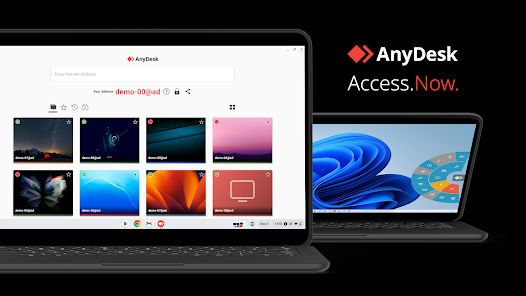
I connected with the client remotely via secure screen-sharing software, with communication running over WhatsApp voice. This approach allowed me to take a holistic view of his entire signal chain, from the physical microphone to the streaming software.
A critical step was installing a ‘listen to’ plugin in his OBS (Open Broadcaster Software) setup. This allowed me, through the remote session, to hear the client’s audio live, in real-time, just as his audience would—a crucial part of my method at Audio Support.
Diagnosis
The client was convinced the problem lay with the need for corrective plugins. However, my immediate thought was to examine the core signal path before the computer. When diagnosing audio issues, I always look for the point where the signal first clips or distorts. This is almost always a hardware issue, not a software one.
I checked the settings on his Focusrite Scarlett 2i2 audio interface. The gain control was set too high. This meant that while his speaking voice sounded fine, the moment he hit a loud, high note, the raw signal coming from the mic was overloading the preamp in the interface. This resulted in analogue clipping, which is impossible to fix with any software plugin afterwards.
The Fix
The solution involved a combination of hardware and software adjustments that addressed the problem at its source.
First, I guided him to reduce the gain control on the Focusrite Scarlett interface. This immediately stopped the clipping at the preamp stage, giving us a clean, undistorted signal, even on his loudest notes.
Second, we made physical adjustments to the microphone technique. I advised him to bring the Shure SM7B slightly closer to his mouth to maximise the clean signal level while keeping the gain low on the interface. We also utilised the switches on the back of the SM7B to introduce a subtle high-frequency boost (brightness) and roll off unnecessary sub-low frequencies.
Additional Support
With the core issue resolved, the focus shifted to achieving the professional, polished “karaoke sound” the client wanted for his streams. Since his audio was running through OBS, we set up a simple chain of effects filters directly in the streaming software.
We established a clean processing chain:
- Gain to add a final boost and achieve the desired output volume.
- Compressor to level out the dynamics, controlling the difference between his softest and loudest notes. This is essential for consistent streaming audio.
- EQ (Equaliser) to fine-tune the tone of his voice, adding clarity and brightness.
- Limiter to act as a final safety net, ensuring no digital clipping occurred within OBS.
Finally, we looked at adding reverb. I recommended and helped him install a free, high-quality VST plugin, the TAL-Reverb-4, and showed him how to set up the sends in OBS. We spent the last part of the session testing the settings and making sure he knew how to switch the effect on and off, giving him full control.
Result
The client was delighted with the outcome. His voice was now coming through the stream cleanly, brightly, and with consistent volume, even when he sang high and loud. The distortion was gone, and he had a professionally configured effects chain with the reverb he wanted. He was now fully equipped and confident to stream his singing on Twitch and YouTube.
Reflection
This session perfectly illustrates the importance of a holistic diagnosis. The client assumed a complex software solution was needed, wanting to fix the issue with more plugins. However, the root cause was a simple hardware gain staging error at the very start of the signal path. If you overload the preamp, no amount of software correction can recover the sound. I help musicians, producers, and audio professionals solve problems like this every day by looking at the full signal chain, not just one piece of gear.
Closing Thoughts
I help musicians and producers worldwide solve problems like this every day. If you’re struggling with distortion on your stream or can’t get your DAW and hardware working correctly, I’ll help you find the real cause and get you back to creating.
Recent Reviews
Let’s Get Your System Running Smoothly.
No automated tickets, no waiting queues — just one-to-one help from an experienced music technology specialist. I’ll connect to your system remotely, identify the issue, and guide you through the fix.
More Case Studies
Recent problems solved for real clients.
Optimising Logic Pro CPU Usage for Large Orchestral Mixes
3 January 2026
Client’s Question
Why does Logic Pro keep crashing when I add plugins to my tracks?
Session Result
CPU load drastically reduced; mix workflow stabilised via bus routing.
Read Full Case Study Report: Optimising Logic Pro CPU Usage for Large Orchestral MixesPreparing for a Studio Hardware Installation
14 December 2025

Client’s Question
What cables do I need to connect my hardware synths to my mixer?
Session Result
Equipment audited, cable inventory confirmed, site visit planned.
Read Full Case Study Report: Preparing for a Studio Hardware InstallationMono Microphone Only in Left Speaker Fix in Logic Pro
14 December 2025

Client’s Question
Why is my mono mic input only coming out of the left speaker in Logic Pro?
Session Result
Mono input successfully centred by changing Logic Pro track format from Stereo to Mono.
Read Full Case Study Report: Mono Microphone Only in Left Speaker Fix in Logic ProManaging Native Instruments Komplete Libraries in Kontakt
12 December 2025

Client’s Question
How do I hide unwanted libraries in the Kontakt side pane?
Session Result
Unused libraries hidden, visual clutter removed.
Read Full Case Study Report: Managing Native Instruments Komplete Libraries in Kontakt