
Case Study
Case Study: Solving the REAPER “Missing Audio” Error Caused by OneDrive
Recently, I connected with a client who was facing the deeply frustrating “Missing Audio” error in REAPER. This error is often a simple file-path problem, but in this case, the cause was much harder to track down, leading to unnecessary worry about system integrity.
The Client’s Challenge
My client, a musician using REAPER on a Windows PC, opened her song sessions only to be greeted by the notorious prompt: “Missing Audio Files.”
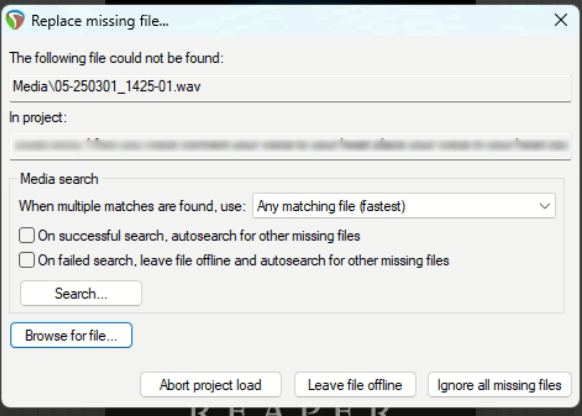
She confirmed her usual workflow for saving files, and she knew the audio media was somewhere on her PC. However, standard searches in her usual directories (Desktop and Documents) came up empty. She was concerned that her operating system was corrupted or that she had accidentally deleted large amounts of audio data.
Session Setup
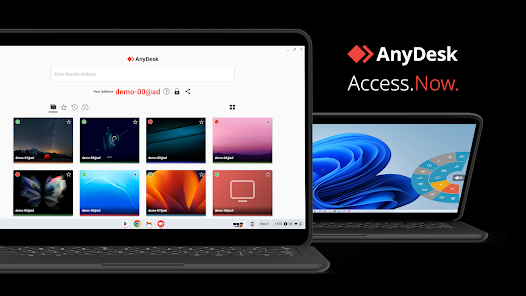
We began our remote session using WhatsApp for voice communication and AnyDesk for secure screen sharing. This allowed me to take control of her Windows PC and begin a detailed, methodical search across her file system.
Diagnosis
The initial checks confirmed the missing media, but the client mentioned one crucial detail: her OneDrive account was full. This was the first major clue.
- Search Strategy: I performed a Windows Explorer search using a specific, unique part of the missing file names.
- Initial Failure: Searches of her user folders (Desktop, Documents) returned no results.
- The Discovery: I expanded the search to the entire
Usersdirectory. Windows Search eventually located the audio files deep within a hidden system directory:AppData/Local/Temp.
This confirmed the root cause: the audio files had not been deleted, but were actively being managed by OneDrive. As her account capacity had been exceeded, OneDrive was moving the local copies of the files it was trying to sync into these obscure AppData folders, hiding them from the standard file system view in Windows Explorer.
The Fix
The fix involved two critical steps: recovering the files and preventing the problem from happening again.
- File Recovery: I created a new, non-cloud-managed folder on her system called
Reaper Projects. I then carefully moved all of the recovered audio files and their containing folders out of the temporaryAppDatalocation and into this new, safe directory. - Verification: We immediately checked her original REAPER sessions. They opened without the “Missing Audio” error, proving the files were correct and the file paths were now resolved.
- Workflow Improvement: I added a shortcut to the new
Reaper Projectsfolder on her desktop to simplify future saving. We also took the preventative step of uninstalling OneDrive completely, as the client confirmed she preferred not to use it for her music production system.
Additional Support
Beyond fixing the immediate file-path issue, the session provided essential workflow hygiene:
I provided simple notes on how REAPER handles file paths and media management to reinforce her understanding.
We confirmed her future saving processes to ensure all media was directed to the new, stable local folder.
Reflection
This case demonstrates that what appears to be a DAW or system corruption issue is often a conflict with background file synchronisation services. Cloud storage tools like OneDrive are powerful, but their auto-sync and local caching features can actively interfere with the strict file-pathing required by DAWs like REAPER.
The solution wasn’t a software patch or a hardware replacement; it was a human-led investigation into how the operating system was managing—or mismanaging—the audio assets.
Closing Thoughts
I help musicians and producers worldwide solve problems like this every day. If you’re struggling with missing audio files in REAPER, Pro Tools, or any other DAW, I’ll help you find the real cause and get you back to creating.
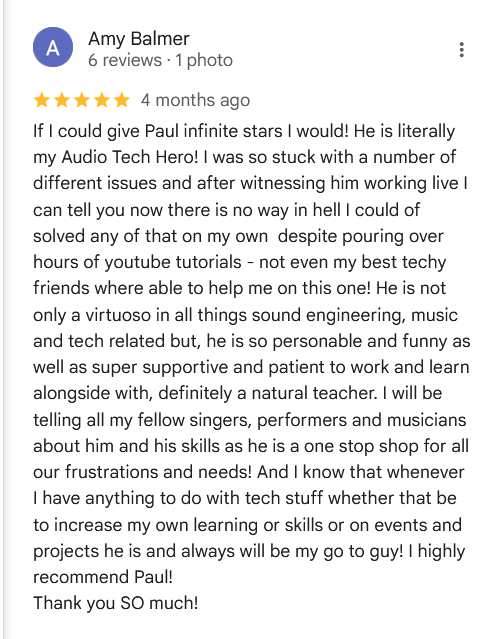
If I could give Paul infinite stars I would! He is literally my Audio Tech Hero! I was so stuck with a number of different issues and after witnessing him working live I can tell you now there is no way in hell I could of solved any of that on my own despite pouring over hours of youtube tutorials – not even my best techy friends where able to help me on this one! He is not only a virtuoso in all things sound engineering, music and tech related but, he is so personable and funny as well as super supportive and patient to work and learn alongside with, definitely a natural teacher. I will be telling all my fellow singers, performers and musicians about him and his skills as he is a one stop shop for all our frustrations and needs! And I know that whenever I have anything to do with tech stuff whether that be to increase my own learning or skills or on events and projects he is and always will be my go to guy! I highly recommend Paul! Thank you SO much!
Recent Reviews
Let’s Get Your System Running Smoothly.
No automated tickets, no waiting queues — just one-to-one help from an experienced music technology specialist. I’ll connect to your system remotely, identify the issue, and guide you through the fix.
