Case Study
Universal Audio Apollo Twin: Fixing the Flashing Green Light
The Client’s Challenge
I recently received a call from a musician who was facing a baffling issue with his audio interface. He was using a Universal Audio Apollo Twin USB. It is important to note that this was the “Silverface” model — the first generation of these interfaces — rather than the newer Apollo Twin X or MkII models.
The client described a symptom he had never seen before: the ring of light surrounding the central volume knob was flashing green.
More worryingly, he had lost all audio output. He wasn’t sure if the unit had developed a hardware fault or if it was a software conflict. In a home studio environment, sudden silence is always a cause for alarm. He had tried the usual troubleshooting steps — restarting the unit and checking cables — but the green light persisted, and his speakers remained silent. He reached out to Audio Support to see if we could get his studio up and running again.
Session Setup
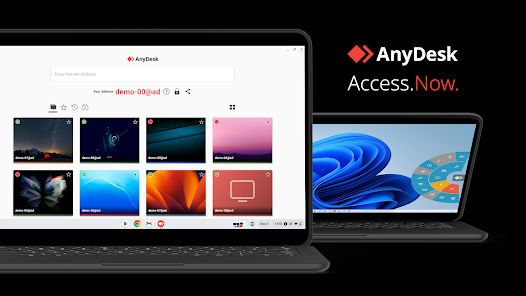
For this session, I initially connected with the client via WhatsApp to get a verbal description of the symptoms. Once we established that the hardware was powered on but behaving erratically, we moved to a secure remote desktop connection.
This allows me to see exactly what the client is seeing on their screen. When troubleshooting Universal Audio gear, being able to access the UAD Console software remotely is essential. While the hardware provides tactile control, the software tells the full story of what is happening under the bonnet.
Diagnosis
The symptom was specific: a flashing green ring around the main monitor knob.
I immediately cross-referenced this behavior with the Universal Audio manual and technical documentation. The flashing green light indicates that the “Dim” function is engaged.
For those unfamiliar with professional mixing console terminology, “Dim” is a standard feature that instantly attenuates (lowers) the monitor volume by a set amount — usually -20dB. It is typically used when you want to have a quick conversation in the control room without stopping playback or losing your calibrated monitoring level.
This explained the silence. If the client was already monitoring at a moderate or low level, engaging a -20dB pad would effectively reduce the volume to inaudibility.
However, this diagnosis presented a contradiction. The client’s interface — the Gen 1 Silverface Apollo Twin — does not have a physical “Dim” button on the top panel. Later models added dedicated function buttons, but this unit relied on a single button for input selection and a large knob for volume.
I asked the client to check the hardware again. There was no button he could have accidentally pressed. I also considered hidden commands, such as a double-press or a long-press of the central knob, but these generally control mute or input switching, not the Dim function.
The hardware was displaying a status that the hardware itself had no physical way of triggering.
The Fix
Since the hardware controls offered no solution, we turned to the software.
Universal Audio interfaces are designed to be controlled deeply via the “Console” application. This software mimics an analogue mixing desk and provides access to features that aren’t always physically present on the desktop unit.
The client admitted he rarely used the Console application, preferring to control volume directly from the unit or within his DAW. This is quite common for users who want a simple “plug and play” workflow, but it means they can get locked out of certain controls if settings change in the background.
I navigated to the UAD Console window on his screen. On the right-hand side of the interface is the “Control Room” section. Sure enough, the “Dim” button in the software interface was illuminated yellow, indicating it was active.
The fix was simple: I clicked the software button to disengage Dim.
Immediately, the flashing green light on the physical hardware stopped, returning to its solid state. The client tested playback, and the audio was back to its normal volume.
Reflection
This case is a perfect example of why modern audio troubleshooting requires a holistic view of both hardware and software.
The mystery here is how the function was triggered in the first place. Since the client doesn’t use the Console software and the hardware lacks the button, it shouldn’t have been possible to engage Dim.
There are a few possibilities. It could have been a stray keyboard shortcut if the Console software was running in the background. Alternatively, it might have been a momentary firmware glitch that latched the setting on.
In some ways, this is an “unsolved mystery” regarding the cause, but a complete success regarding the solution. The client now understands that his interface isn’t broken. More importantly, he has learned that the Console software is the master control for his hardware. If he ever sees that flashing green light again, he knows exactly where to click to resolve it.
It also highlights a quirk of the first-generation Apollo Twin USB: it is possible for the unit to enter a state that cannot be reversed via the physical front panel.
Closing Thoughts
Technology can be unpredictable, especially when software features outnumber physical buttons. Whether it is a mysterious flashing light or a sudden drop in volume, there is usually a logical explanation buried in the settings.
I help musicians and producers worldwide solve problems like this every day. If you’re struggling with your Universal Audio interface or any other studio hardware, I’ll help you find the real cause and get you back to creating.
Recent Reviews
Let’s Get Your System Running Smoothly.
No automated tickets, no waiting queues — just one-to-one help from an experienced music technology specialist. I’ll connect to your system remotely, identify the issue, and guide you through the fix.
More Case Studies
Recent problems solved for real clients.
The Turkey Adventure Part 4
24 December 2025
The Turkey Adventure Part 3
24 December 2025

The Turkey Adventure Part 2
24 December 2025