Field Notes
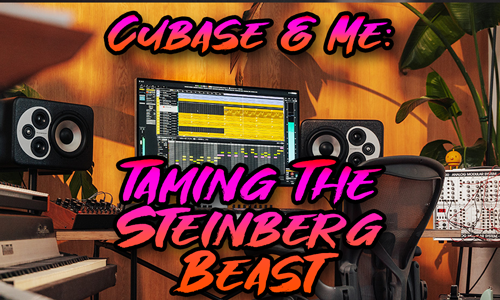
Taming the Steinberg Beast: Why Cubase 15 Isn’t the Silver Bullet
Cubase and Me
It is a curious relationship, the one we forge with our Digital Audio Workstations. It is not unlike a marriage—moments of profound creative harmony punctuated by episodes of baffling, silent treatment. If you are currently staring at a splash screen that hasn’t moved for twenty minutes, or a “Content Missing” error that defies all logic, let me start by assuring you: it isn’t you, and it isn’t your computer’s fault. It is simply the ghost of architecture past.
I have been conducting investigations into the inner workings of Cubase since the days of version 3. My journey began not in a high-end mastering suite, but at Hextable School here in Kent. For five years, I was tasked with guiding Year 10 students through the wilderness of their music GCSEs. If you can successfully teach thirty teenagers to compose music simultaneously without the school’s IT network collapsing in a heap of despair, you learn a thing or two about system stability.
From those chaotic classrooms, I placed a modest advertisement in Sound On Sound magazine—back when the classifieds were the holy grail for engineers—and began visiting home studios across the country. I have stood in hundreds of spare bedrooms and garage conversions, helping musicians record their guitars, route their synthesisers, and capture their vinyl collections.
And in that time, from Cubase SX3 through to the modern day, I have noticed a pattern. The software changes, yet the struggle remains remarkably consistent.
The Legacy Dilemma
Here is the deduction I have made after years of peering under the bonnet: Steinberg is trying to run a sprint in Victorian diving boots.
The architecture of Cubase is historic. It is layer upon layer of legacy code, struggling to keep pace with the rapid evolution of CPU technology and the Wild West of third-party plugin development. When Steinberg releases an update, they aren’t just adding features; they are attempting to bolt a Ferrari engine onto a carriage designed for a horse.
I recently assisted a gentleman who upgraded to Cubase 15, hoping it would be the panacea for his system’s lethargy. He expected speed. Instead, he found himself in a fresh nightmare. The software wasn’t crashing, per se; it was simply… thinking. Interminably.
Cubase 15 attempts to index your plugins, to sort the wheat from the chaff. But it does so with the speed of a very meticulous, very tired librarian. It takes an age to work out which plugins are valid and which are “wrong,” often hiding your favourite tools in a blacklist because of a minor contextual conflict. It is not user error; it is a software ecosystem overwhelmed by its own complexity.
Untangling the Spaghetti
This is where I come in. My most forensic work involves configuring Cubase on school networks—a task so labyrinthine and fraught with danger that I charge IT Consultant rates for it, simply because few others dare to touch it.
However, for the home musician, I view myself more like your local plumber or mechanic. You don’t need a computer scientist; you need someone who knows exactly which valve to turn to stop the leak.
My professional claim is simple: I will untangle the mess.
Whether it is a “Content Missing” loop, a VST instrument that refuses to acknowledge its own sample library, or the dreaded silence of a routing error, I navigate the file paths so you don’t have to. I know where Steinberg expects a file to be, versus where the installer decided to put it. I can stop those incessant manual relocation clicks and ensure that when you press ‘Record’, the only thing you have to worry about is your performance.
Closing
If you have upgraded to Cubase 15 and found it has brought you nothing but frustration and a hidden plugin list, do not despair. The software is trying its best, but it needs a translator.
I am available to be that translator. Let’s get you back to making music, shall we?
Paul Andrews, Audio Support audiosupport.co.uk
Let’s Get Your System Running Smoothly.
No automated tickets, no waiting queues — just one-to-one help from an experienced music technology specialist. I’ll connect to your system remotely, identify the issue, and guide you through the fix.
More Case Studies
Recent problems solved for real clients.
Preparing for a Studio Hardware Installation
14 December 2025

Client’s Question
What cables do I need to connect my hardware synths to my mixer?
Session Result
Equipment audited, cable inventory confirmed, site visit planned.
Read Full Case Study Report: Preparing for a Studio Hardware InstallationMono Microphone Only in Left Speaker Fix in Logic Pro
14 December 2025

Client’s Question
Why is my mono mic input only coming out of the left speaker in Logic Pro?
Session Result
Mono input successfully centred by changing Logic Pro track format from Stereo to Mono.
Read Full Case Study Report: Mono Microphone Only in Left Speaker Fix in Logic ProManaging Native Instruments Komplete Libraries in Kontakt
12 December 2025

Client’s Question
How do I hide unwanted libraries in the Kontakt side pane?
Session Result
Unused libraries hidden, visual clutter removed.
Read Full Case Study Report: Managing Native Instruments Komplete Libraries in KontaktUsing Professional Studio Microphones with WhatsApp
12 December 2025

Client’s Question
How do I use my Focusrite interface and XLR mic with WhatsApp?
Session Result
WhatsApp Desktop app configured to route audio through Focusrite interface.
Read Full Case Study Report: Using Professional Studio Microphones with WhatsApp