Studio One Support
Independent Help for PreSonus Studio One Users
Studio One Support
Independent Help for PreSonus Studio One Users
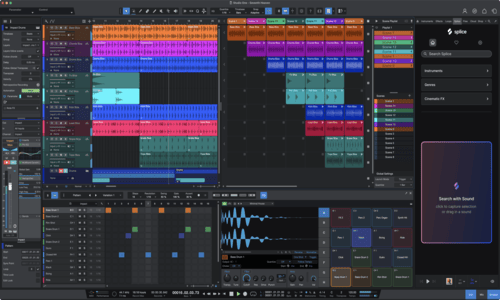
Studio One is one of the most intuitive and creative DAWs available — but when it stops behaving as expected, your workflow can grind to a halt. From missing audio devices to CPU spikes or confusing plugin paths, technical issues can quickly interrupt your creative flow.
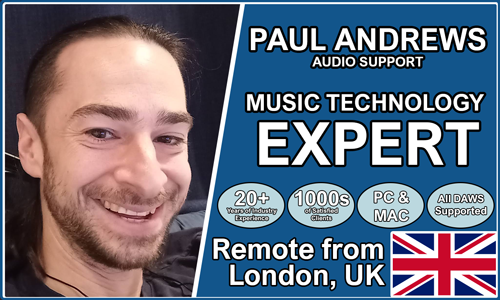
Audio Support helps Studio One users overcome these frustrations with clear, one-to-one technical help delivered remotely. Founded by Paul Andrews, a technician and educator with over 20 years’ experience in music technology, the service provides step-by-step guidance to diagnose, fix, and optimise your Studio One setup.
Sessions cover system optimisation, interface configuration, latency reduction, and plugin management — giving you the confidence that everything will just work when inspiration strikes.
Audio Support is an independent service and is not affiliated with PreSonus or any other manufacturer.
How Remote Support Works
1. Make an Enquiry
Explain your music technology issues and Paul will confirm if he can help.
2. Book a Session
Select a date and time and make payment via Simplybook.
3. Remotely Connect
Paul will work with you live to answer questions and solve problems.
Recent Problems Solved
Real client’s stories from the case study archive

Client’s Question
How do I send my guitar pedal sound and a backing track clearly on Zoom?
Session Result
High-quality, mixed guitar, microphone, and backing track successfully routed into Zoom.
Read Full Case Study Report: Pro-Sound Guitar Lessons on Zoom: Routing Hardware and Backing TracksPreSonus Audio Interface Not Connecting to Logic Pro: How to Fix Blocked Drivers in macOS Security
23 November 2024
Client’s Question
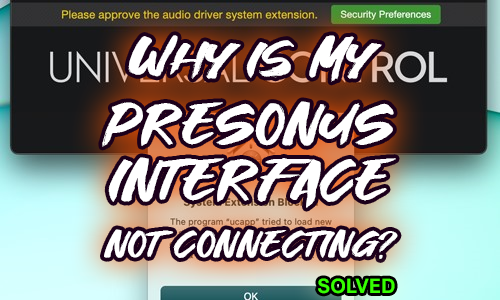
I updated the PreSonus Universal Control software, and now my Quantum audio interface is not connecting with Logic at all. How can I get it working?
Session Result
The connection failure was due to the client missing the 30-minute window to approve the new driver’s system extension in macOS Security Preferences. The issue was resolved by following the official PreSonus guide to remove and reinstall the driver, immediately followed by navigating to the Security Preferences to “Allow” the system extension, which restored the PreSonus Quantum’s connection to Logic Pro.
Read Full Case Study Report: PreSonus Audio Interface Not Connecting to Logic Pro: How to Fix Blocked Drivers in macOS SecurityI/O Effect Feedback Fix: Setting Up SPL Transient Designer in Logic Pro with PreSonus Universal Control
6 January 2024
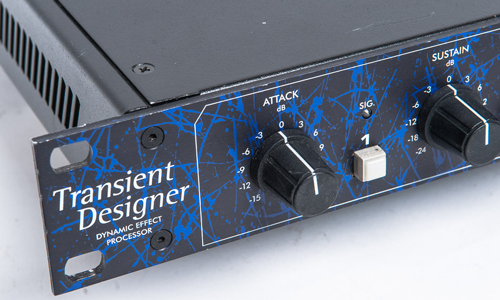
Client’s Question
I’m trying to set up my SPL Transient Designer hardware unit as an I/O effect in Logic using my PreSonus 1810c interface, but all I get is nasty feedback and frustration. How can I get this working correctly?
Session Result
The feedback and routing errors were caused by the default settings in the PreSonus Universal Control software, which was sending the same Logic DAW output to multiple physical outputs and causing a loop. The solution was two-fold: 1. Corrected Internal Routing: Adjusted the Mix 3/4 setup in the Universal Control software mixer to ensure physical outputs matched the correct DAW outputs (e.g., muting DAW 1 and unmuting DAW 3 for Mix 3/4). 2. Eliminated Feedback: Muted all input channels on the software mixer, allowing Logic Pro to handle input monitoring and stopping the SPL unit’s output from feeding back into itself.
Read Full Case Study Report: I/O Effect Feedback Fix: Setting Up SPL Transient Designer in Logic Pro with PreSonus Universal ControlRecent Reviews
Let’s Get Your System Running Smoothly.
No automated tickets, no waiting queues — just one-to-one help from an experienced music technology specialist. I’ll connect to your system remotely, identify the issue, and guide you through the fix.
More Case Studies
Recent problems solved for real clients.
The Turkey Adventure Part 4
24 December 2025
The Turkey Adventure Part 3
24 December 2025

The Turkey Adventure Part 2
24 December 2025