Today I visited a local (South-East London, UK) client’s studio to fix a key on a Roland EM-10 keyboard that wasn’t responding when pressed.
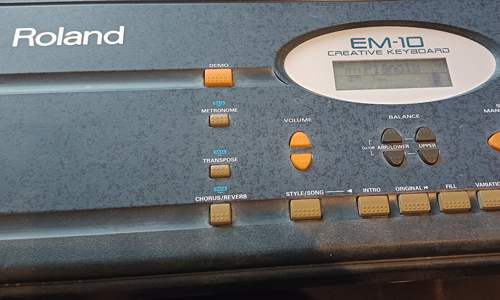
I removed all the screws from the back of the unit and opened it up to reveal the key bed.
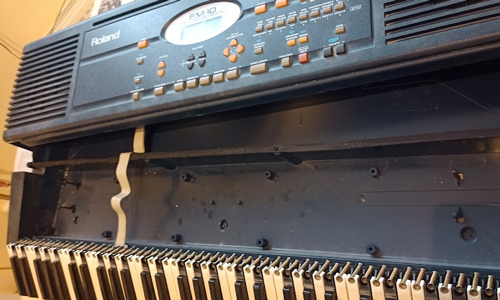
I took the offending keys out and examined the keys, springs and circuit board contact points to find the cause of the problem.
The issue turned out to be a very small amount of dust on one of the graphite dots underneath the rubber pads which connect with the contacts as the key is pressed.
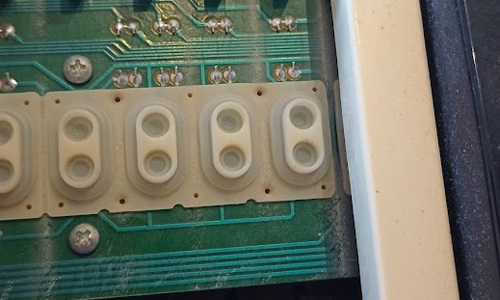
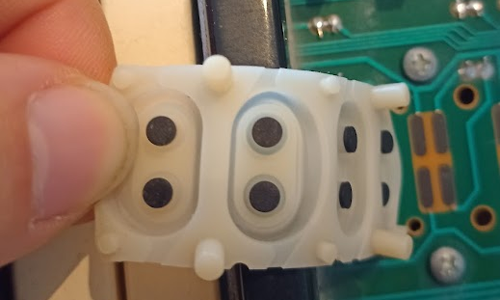
Wiping away the dust solved the problem. I replaced the parts and confirmed that the key now worked. Having checked over all the other keys on the keyboard, I found another unresponsive key. I took that apart, cleaned the dust, put it back together, then double-checked the entire keyboard. Everything now worked.
I reassembled the unit, replaced the casing screws and triple checked everything still working.
My client was happy to have his keyboard restored and that the whole job only took an hour. He was kind enough to leave me this nice review:
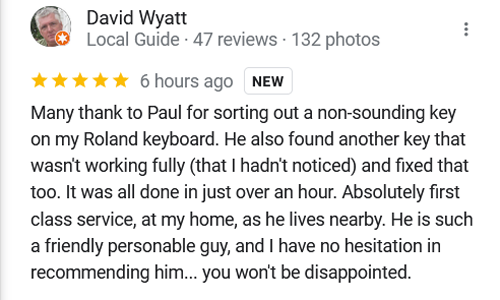
Many thank to Paul for sorting out a non-sounding key on my Roland keyboard. He also found another key that wasn’t working fully (that I hadn’t noticed) and fixed that too. It was all done in just over an hour. Absolutely first class service, at my home, as he lives nearby. He is such a friendly personable guy, and I have no hesitation in recommending him… you won’t be disappointed.
Recent Reviews
Let’s Get Your System Running Smoothly.
No automated tickets, no waiting queues — just one-to-one help from an experienced music technology specialist. I’ll connect to your system remotely, identify the issue, and guide you through the fix.
More Case Studies
Recent problems solved for real clients.
Preparing for a Studio Hardware Installation
14 December 2025

Client’s Question
What cables do I need to connect my hardware synths to my mixer?
Session Result
Equipment audited, cable inventory confirmed, site visit planned.
Read Full Case Study Report: Preparing for a Studio Hardware InstallationMono Microphone Only in Left Speaker Fix in Logic Pro
14 December 2025

Client’s Question
Why is my mono mic input only coming out of the left speaker in Logic Pro?
Session Result
Mono input successfully centred by changing Logic Pro track format from Stereo to Mono.
Read Full Case Study Report: Mono Microphone Only in Left Speaker Fix in Logic ProManaging Native Instruments Komplete Libraries in Kontakt
12 December 2025

Client’s Question
How do I hide unwanted libraries in the Kontakt side pane?
Session Result
Unused libraries hidden, visual clutter removed.
Read Full Case Study Report: Managing Native Instruments Komplete Libraries in KontaktUsing Professional Studio Microphones with WhatsApp
12 December 2025

Client’s Question
How do I use my Focusrite interface and XLR mic with WhatsApp?
Session Result
WhatsApp Desktop app configured to route audio through Focusrite interface.
Read Full Case Study Report: Using Professional Studio Microphones with WhatsApp